EC2 Stop Start vs Reboot: A Practical Guide
When managing Amazon EC2 instances, the choice between a stop/start cycle and a simple reboot can feel trivial, but the operational and financial consequences are significant. A reboot is a software-level restart that keeps your instance on the same physical hardware, preserving its network identity. In contrast, stopping and starting an instance effectively moves it to new hardware, which has major implications for billing, networking, and data persistence. Understanding this core difference is fundamental to efficient cloud management and cost optimization.
Contents
Ready to Slash Your AWS Costs?
Stop paying for idle resources. Server Scheduler automatically turns off your non-production servers when you're not using them.
Understanding the Key Distinctions
Choosing between an EC2 stop/start cycle and a reboot has major impacts on your infrastructure's cost, state, and connectivity. These are not interchangeable commands; each serves a different operational purpose. A reboot is a soft reset where the instance's operating system shuts down and boots back up, but the virtual machine never leaves its underlying physical host. This means critical identifiers like its public and private IP addresses are preserved. In contrast, a stop/start cycle is a much more significant action. When you stop an instance, you release the hardware resources back to the AWS pool. The instance enters a stopped state, and you stop paying for compute charges. When you start it again, AWS finds new physical hardware, triggering several important changes.
The right choice boils down to your objective. A reboot is your go-to for tasks needing a quick OS refresh, such as applying software patches or fixing minor application hangs. A stop/start cycle is necessary for actions involving the underlying virtual hardware, like changing the instance type, or for achieving significant cost savings. For instance, strategically stopping non-production workloads can slash compute costs by up to 70%.
Key Takeaway: A reboot is for OS-level maintenance, keeping the instance's identity intact. A stop/start is for hardware-level changes or significant cost savings, but it alters the instance's physical placement and public IP address.
For a quick summary, this table breaks down the most critical differences.
| Attribute | EC2 Reboot | EC2 Stop then Start |
|---|---|---|
| Billing | No interruption; you are billed continuously. | Billing for instance usage stops when in stopped state. |
| Public IP Address | Retained. | Released and a new one is assigned (unless an Elastic IP is used). |
| Private IP Address | Retained. | Retained. |
| Underlying Host | Remains on the same physical hardware. | Migrates to new physical hardware upon start. |
| Instance Store Data | Preserved. | Completely erased and lost forever. |
| EBS Volume Data | Preserved. | Preserved. |
How Each Action Impacts Your AWS Bill
The most significant difference between an EC2 stop/start and a reboot is the effect on your AWS bill. A reboot is virtually invisible from a billing perspective. Since the instance stays on the same hardware and never enters a stopped state, AWS continues charging for compute resources every second. The meter never stops. Conversely, a stop/start cycle is your primary tool for controlling spend. The moment an instance hits the stopped state, billing for its usage halts. This is the simple yet powerful concept behind "cloud parking," an essential tactic for any non-production environment like development, testing, or staging servers that don't need to run 24/7.
It's important to be aware of the one-minute minimum charge. While billing stops instantly, starting an instance triggers a fresh billing period. AWS bills EC2 usage by the second, but every time an instance is started, there is a one-minute minimum charge. After that first minute, it returns to per-second billing. This detail means that frequently stopping and starting an instance for very short intervals can inadvertently increase costs. The real savings come from stopping instances for long stretches, such as overnight or on weekends. The financial upside is huge, as idle dev and QA environments often account for significant waste. Automating shutdowns is key to unlocking these savings and is a core pillar of effective AWS cost optimization strategies.
A Deep Dive Into Data Persistence
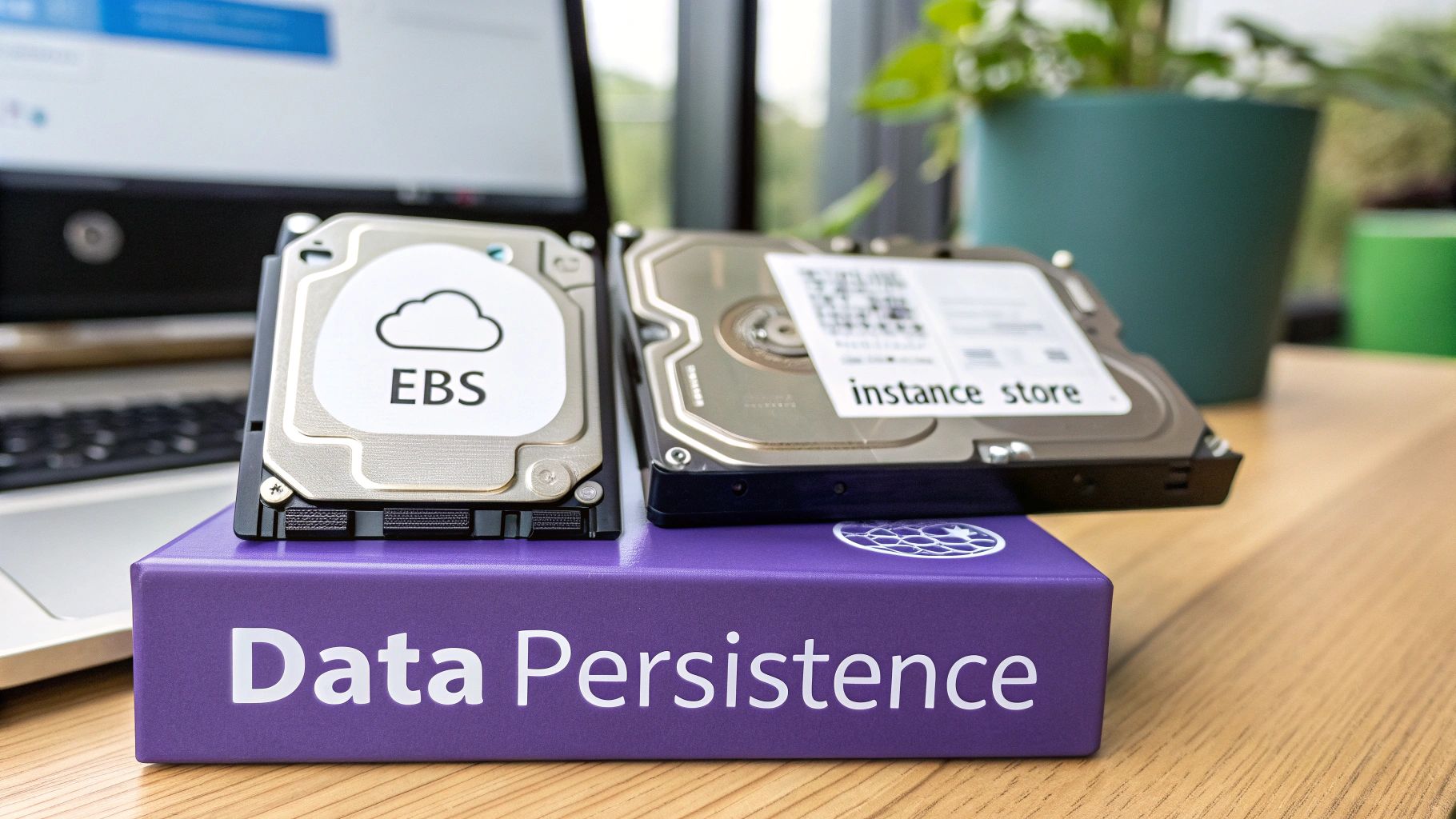
The choice between stopping and rebooting an instance is a critical decision that directly impacts your data. The consequences for data persistence are dramatically different, and it all comes down to the type of storage your instance uses: Amazon Elastic Block Store (EBS) or the instance store (ephemeral storage). EBS volumes are network-attached drives that persist independently of the instance. Instance store volumes are temporary storage physically located on the same host computer, offering fast I/O but with a crucial limitation.
A reboot is a simple OS restart, and because the instance remains on its host, data on both EBS and instance store volumes is preserved. A stop/start cycle is a different story. When an instance is stopped, it is de-provisioned from its host. Data on your attached EBS volumes is safe and will be reattached upon start. However, any data on an instance store volume is wiped clean and lost forever. This behavior is why instance stores are best suited for temporary data like caches or buffers, while EBS is the standard for anything requiring durability. This distinction underscores the importance of a robust backup strategy, regardless of storage type. If you're running Linux, it’s a good idea to brush up on the best practices for backing up your Linux environments.
 Navigating Networking and Infrastructure Changes
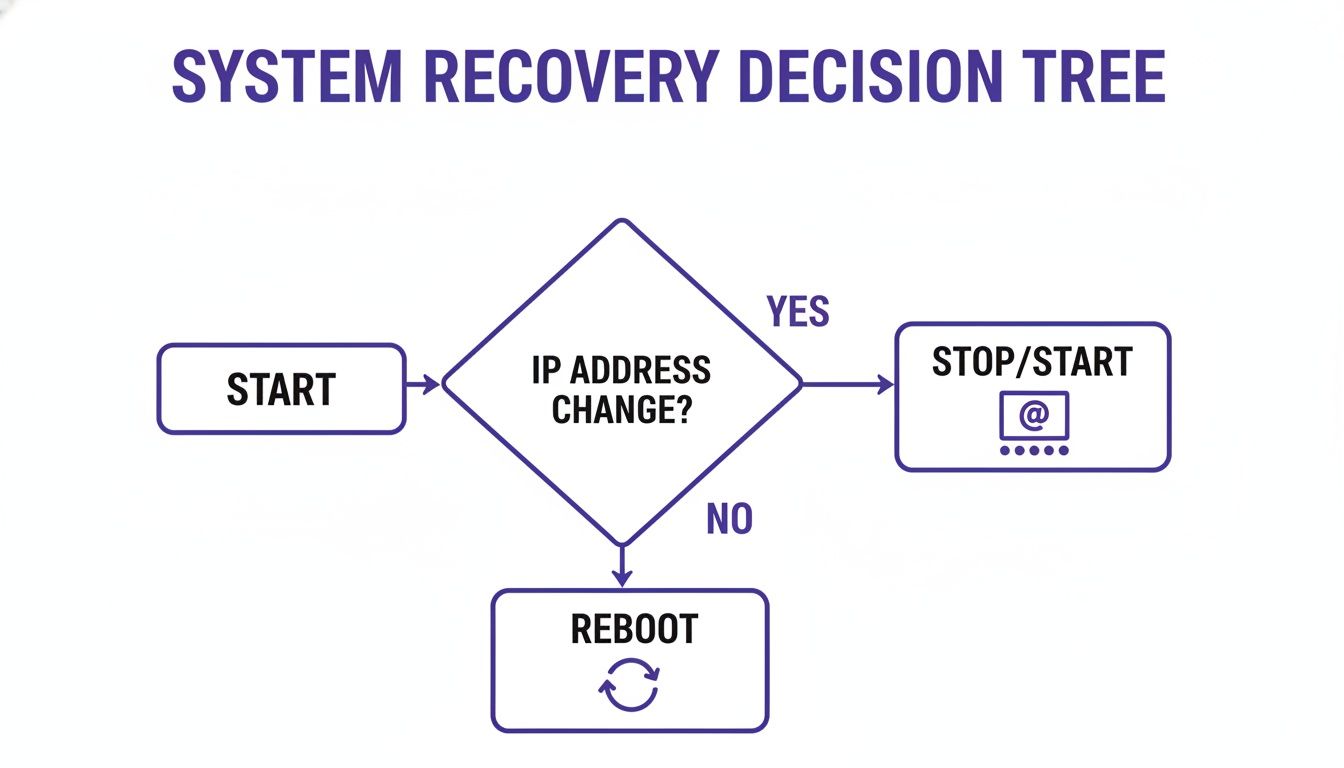
Beyond billing and data, the operational impact of an EC2 stop start vs reboot on your networking is a massive consideration. When you reboot an instance, you're just restarting its operating system. From a networking standpoint, almost nothing changes. The instance keeps its public IP address, private IP address, and DNS hostname, making it a safe choice for routine maintenance. A stop/start cycle, on the other hand, fundamentally changes the instance's place within the AWS infrastructure. The most critical change is that when you stop an instance, it releases its public IP address. When you start it again, AWS assigns a new one. This will break any DNS records or external systems hardcoded to the old address.
The private IP address, however, is retained through both a reboot and a stop/start cycle, ensuring stable internal communication. If you need the cost savings of stopping an instance but cannot lose its public IP, the solution is an Elastic IP (EIP). An EIP is a static public IPv4 address that you can attach to your instance, providing a persistent public endpoint. Finally, the move to new hardware during a stop/start can have subtle performance effects. While AWS strives for consistency, a new host might have slightly different performance characteristics. For most applications, this is unnoticeable, but a reboot offers more predictable hardware behavior for highly sensitive workloads.
 Practical Use Cases for Stop Start vs Reboot
Knowing the technical differences is one thing, but applying them correctly is what truly matters. A reboot is your go-to for quick, low-impact maintenance, such as applying OS patches, resolving application hangs, or finalizing configuration changes. Think of it as a surgical tool for OS-level fixes where preserving the instance's network identity is paramount. A stop/start cycle is a heavier operation reserved for infrastructure-level changes and, most importantly, cost optimization. The primary use case is aggressive cost savings by shutting down non-production environments during off-hours. Additionally, you must perform a stop/start to vertically scale an instance (change its type) or to proactively move an instance off a host scheduled for maintenance.
Decision Guide: If you're fixing something inside the OS, reboot. If you're changing something about the instance itself—like its size or physical host—or just looking to save money, it's time to stop and start.
| Scenario or Goal | Recommended Action | Key Consideration |
|---|---|---|
| Applying a kernel update | Reboot | The goal is an OS refresh; network stability is key. |
| Reducing costs for a dev server | Stop/Start | Pauses billing when the instance is not in use. |
Changing instance type from t3 to c5 |
Stop/Start | This is a hardware change and requires the instance to be stopped. |
| Fixing an unresponsive application | Reboot | A quick reset is often enough and avoids IP address changes. |
| Moving an instance off a degraded host | Stop/Start | This forces migration to new, healthy physical hardware. |
Automating EC2 Schedules for Maximum Efficiency
Turning your knowledge of EC2 operations into a consistent, cost-saving practice requires automation. Manually managing instance uptime is prone to human error and inefficiency. While some teams turn to custom scripts with services like Lambda, this approach often creates an engineering bottleneck and requires ongoing maintenance. Modern no-code automation tools eliminate this complexity. They provide a simple, visual interface to set up recurring stop/start and reboot schedules, empowering anyone—from DevOps engineers to project managers—to implement cost-saving policies with just a few clicks. This democratizes cloud cost optimization, allowing teams to manage their own resources effectively. Beyond cost savings, these tools provide a centralized dashboard, audit logs for compliance, and ensure maintenance windows are predictable. Ultimately, automation transforms reactive manual tasks into a proactive strategy for better infrastructure hygiene.
Frequently Asked Questions
Even with a solid understanding, specific questions often arise. Stopping an EC2 instance has no negative impact on its attached EBS volumes; all data is safe, though you are still billed for storage. You cannot change an instance type while it's running; a stop/start cycle is required. If AWS has maintenance scheduled for your instance's host, performing a stop/start will move it to a new, healthy host and clear the maintenance event. To keep a public IP address after a stop/start, you must use an Elastic IP (EIP), which provides a static, persistent endpoint for your instance. These practical points help you apply your knowledge confidently and avoid common pitfalls in daily operations.
Related Articles
- AWS Cost Optimization Strategies You Need to Know
- How to Start and Stop EC2 Instances the Easy Way
- A Guide to Rebooting Your EC2 Instance