Cloud Cost Automation: A Practical Guide to Safer Savings
A DevOps lead sees the same pattern every month: the workload is steady, the engineering roadmap is full, and the cloud bill still rises faster than revenue. Teams have already collected a backlog of manual savings ideas, but each one depends on someone remembering a shutdown, approving a resize, or checking whether a test environment is safe to change.
Cloud cost automation solves that problem only when it encodes business intent into repeatable, reversible policies. It isn't a race to switch off the largest server. It's a governance system that connects operating hours, workload criticality, delivery speed, and measurable unit economics.
If you're ready to turn ad hoc savings into controlled operating rules, start by identifying which resources can change safely, then prove the financial and operational result.
Contents
- Why Cloud Bills Keep Outpacing Forecasts
- What Cloud Cost Automation Actually Means
- The Four Core Mechanisms That Drive Savings
- Which Resources to Automate First and Which to Leave Alone
- Implementing Guardrailed Scheduling Patterns
- The KPIs That Prove Automation Is Working
- Why the Best Target Is Not Always the Largest Idle Resource
- Adopting Cloud Cost Automation Safely
Ready to Slash Your AWS Costs?
Stop paying for idle resources. Server Scheduler automatically turns off your non-production servers when you're not using them.
Why Cloud Bills Keep Outpacing Forecasts
A team can forecast its production workload accurately and still miss the bill. Development databases remain online overnight, QA clusters run through weekends, and oversized instances survive because nobody owns the resize decision. The resulting variance rarely comes from one dramatic failure. It comes from many small runtime decisions repeated every day.
That makes cloud cost automation a governance problem before it's a tooling problem. A script can stop an instance, but it can't decide whether the instance supports a migration, a globally distributed team, or a release that cannot tolerate restart delays. Those decisions need ownership, exceptions, and evidence.
Flexera's 2025 State of the Cloud report found that organizations estimated 27% of IaaS and PaaS spending was wasted, while 84% of more than 750 surveyed technical leaders ranked managing cloud spend as their top cloud challenge, according to Flexera's 2025 State of the Cloud findings. The figure doesn't mean every organization can remove the same share of its bill. It does show why manual reminders aren't a durable control.
The useful question isn't “What can we turn off?” It's “Which operating decision can we make repeatable without harming delivery?”
By the end of this guide, you'll have a practical way to rank automation targets, design reversible schedules, and separate projected savings from money reclaimed. The working definition comes first.
What Cloud Cost Automation Actually Means
Cloud cost automation means encoding start, stop, resize, scaling, and policy decisions as scheduled or event-driven rules. The objective is simple: savings shouldn't depend on an engineer remembering a manual action at the right time.
AWS made this operating model possible with usage-based infrastructure. AWS launched the beta of Amazon EC2 on August 25, 2006, introducing virtual servers that customers could obtain without purchasing physical hardware. In 2009, AWS added Auto Scaling and CloudWatch, creating the observable, API-driven control layer that modern automation depends on, as described in EC2's early development history.
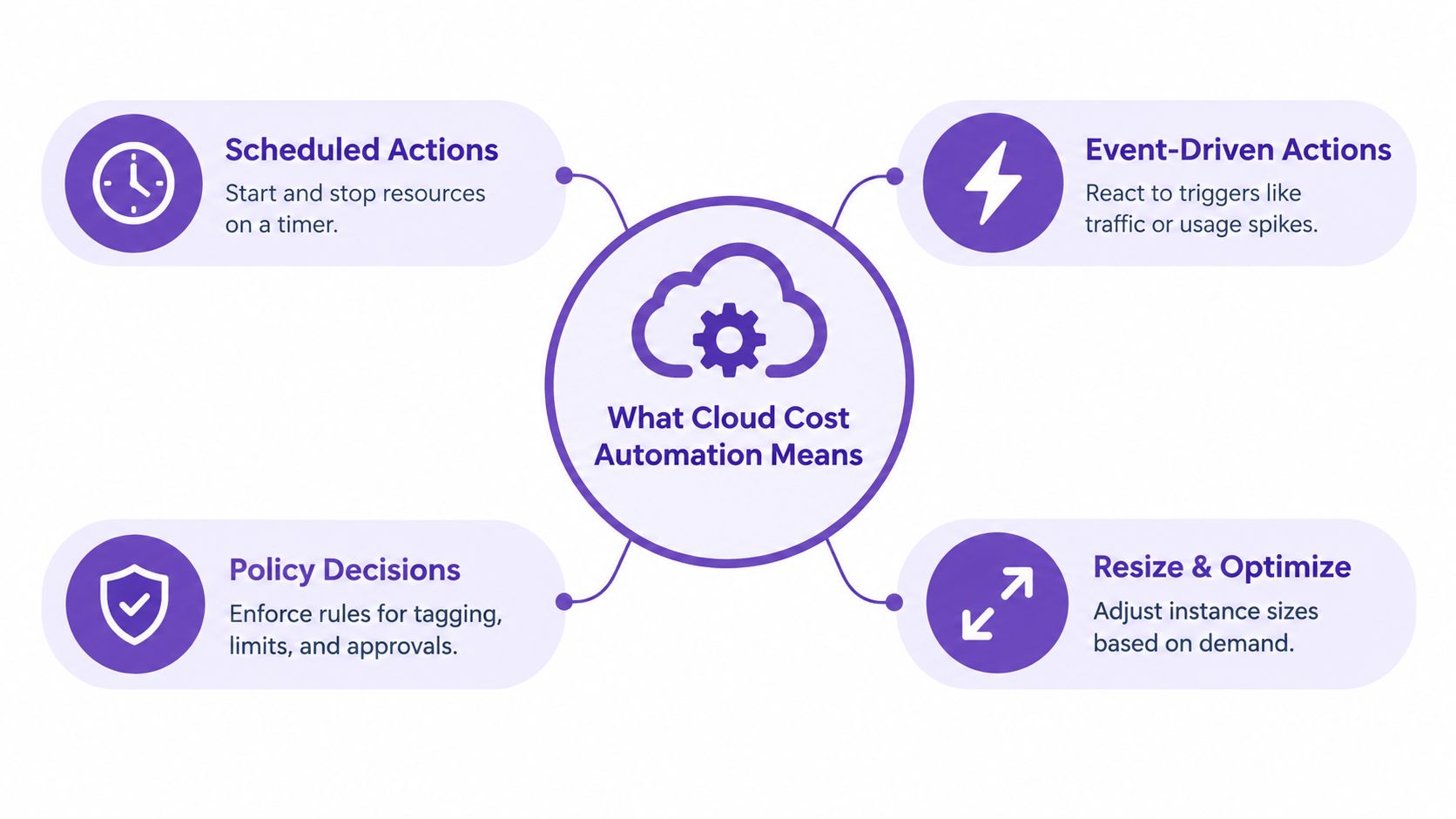
FinOps owns measurement, allocation, forecasting, and accountability. DevOps and platform teams own execution, service health, and recovery. Neither function can close the loop alone. FinOps may identify an underused resource, but the platform owner knows whether its latency, connection limits, or release dependencies make a resize safe.
Start with the resources whose charges respond directly to runtime. EC2, RDS, and cache environments are usually stronger candidates than persistent storage because stopping compute can pause runtime charges while storage charges continue. A practical cloud scheduling approach should therefore record what changed, who owns it, why the rule exists, and how to reverse it.
Non-negotiable: Every automation policy must be reversible and auditable.
The Four Core Mechanisms That Drive Savings
Cloud cost automation has four distinct levers, and each solves a different problem.
Scheduled start and stop changes availability windows. It works well for development, QA, and staging resources with predictable usage. AWS states that stopping EC2 and Amazon RDS instances during non-operating hours prevents resource-runtime charges, although attached EBS volumes can still incur storage charges and Elastic IP charges may still apply, as explained in AWS cost optimization guidance. The resource remains available for the next operating window, but persistent charges don't disappear.
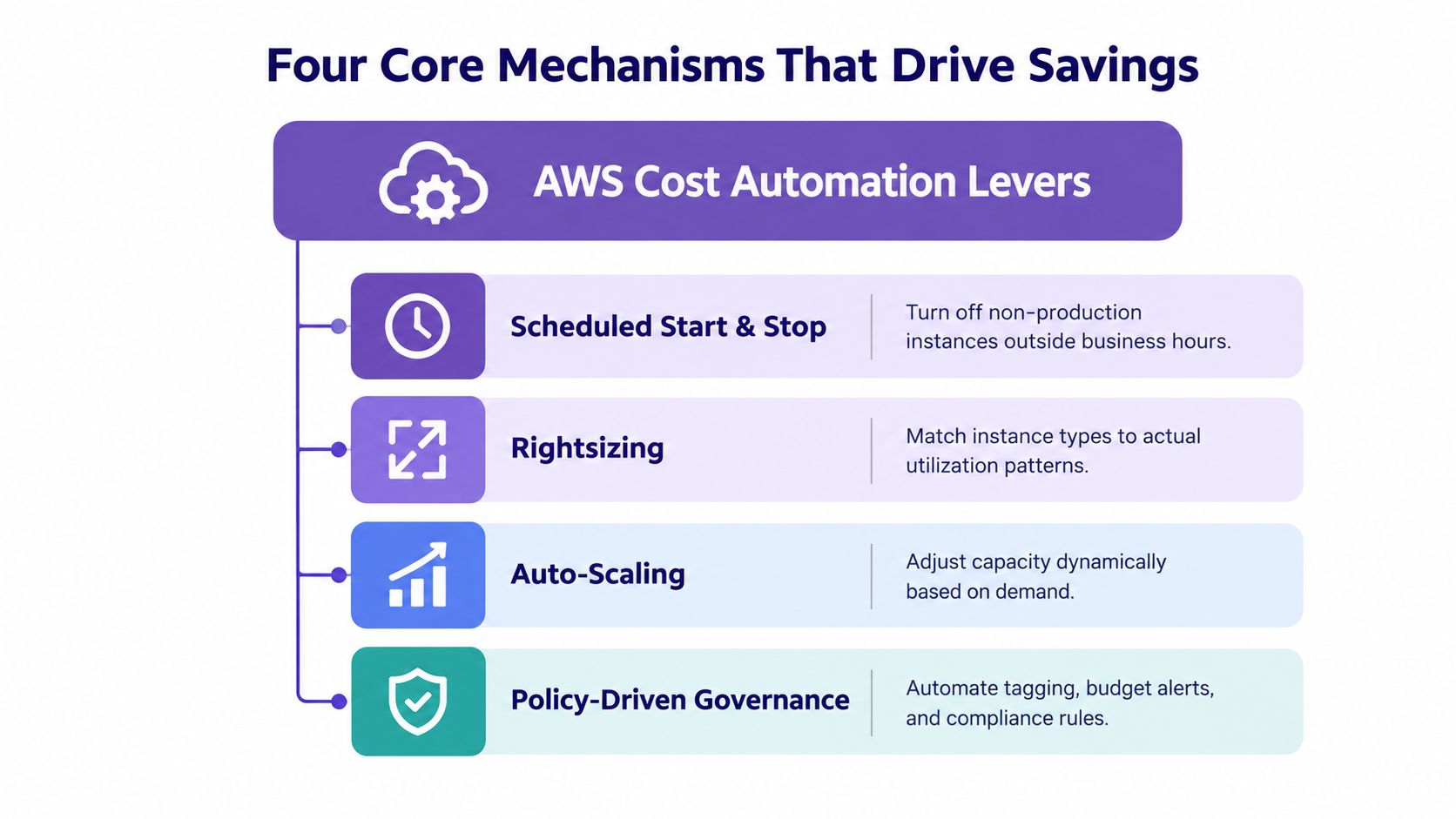
Rightsizing changes the instance family or size. It preserves the workload while adjusting capacity to observed demand. It fails when teams use CPU alone, ignore memory or network saturation, or treat a recommendation as proof rather than a candidate change. AWS Cost Explorer can surface idle and underutilized resources, but the owner still needs to validate performance risk.
Auto-scaling reacts to demand. It fits workloads with variable traffic and sudden peaks, whereas scheduled resizing fits predictable windows such as load testing or overnight development. A practical AWS automation toolkit should distinguish those patterns instead of forcing every resource into a timer.
Policy-driven governance supplies the connective tissue. Required tags, owner metadata, budget alarms, approval thresholds, and exception records turn isolated actions into an operating system. Without those controls, a successful shutdown can still create an outage or leave nobody accountable for the next change.
Which Resources to Automate First and Which to Leave Alone
Start with resources where the savings mechanism is obvious and the business risk is contained. Non-production databases, QA fleets, training environments, and developer sandboxes usually have identifiable owners and operating windows. The FinOps Foundation identifies scheduling and autoscaling as ways to reduce low-usage waste and recommends scheduled start and stop for pre-production environments whenever feasible, as outlined in its public cloud technology guidance.
A resource used for 45 hours of a 168-hour week runs for approximately 26.8% of the calendar week, implying a theoretical compute-runtime reduction of about 73.2% before storage, data transfer, minimum charges, startup delays, and exceptions. That is a useful ceiling, not a promise. If restarting the environment delays developers or blocks a shared test, the net business value can be lower.
| Environment Type | Schedule Eligibility | Restart Latency Tolerance | Automation Confidence |
|---|---|---|---|
| Developer sandbox | High | High | High |
| QA fleet | High | Medium | High |
| Training environment | High | High | High |
| Integration test runner | Medium | Low to medium | Medium |
| Hot staging | Low to medium | Low | Low to medium |
| Globally shared test environment | Low | Low | Low |
Treat globally shared test environments and hot staging as exception-led systems, not automatic shutdown candidates. Their calendars may span time zones, and a single team's “off-hours” can be another team's release window.
Decision rule: Automate the environment with the clearest operating window, not the largest theoretical bill.
Implementing Guardrailed Scheduling Patterns
Safe scheduling starts with eligibility, not a calendar. Require tags for environment, owner, service criticality, and automation status. Untagged resources should remain unchanged until someone accepts responsibility for them.
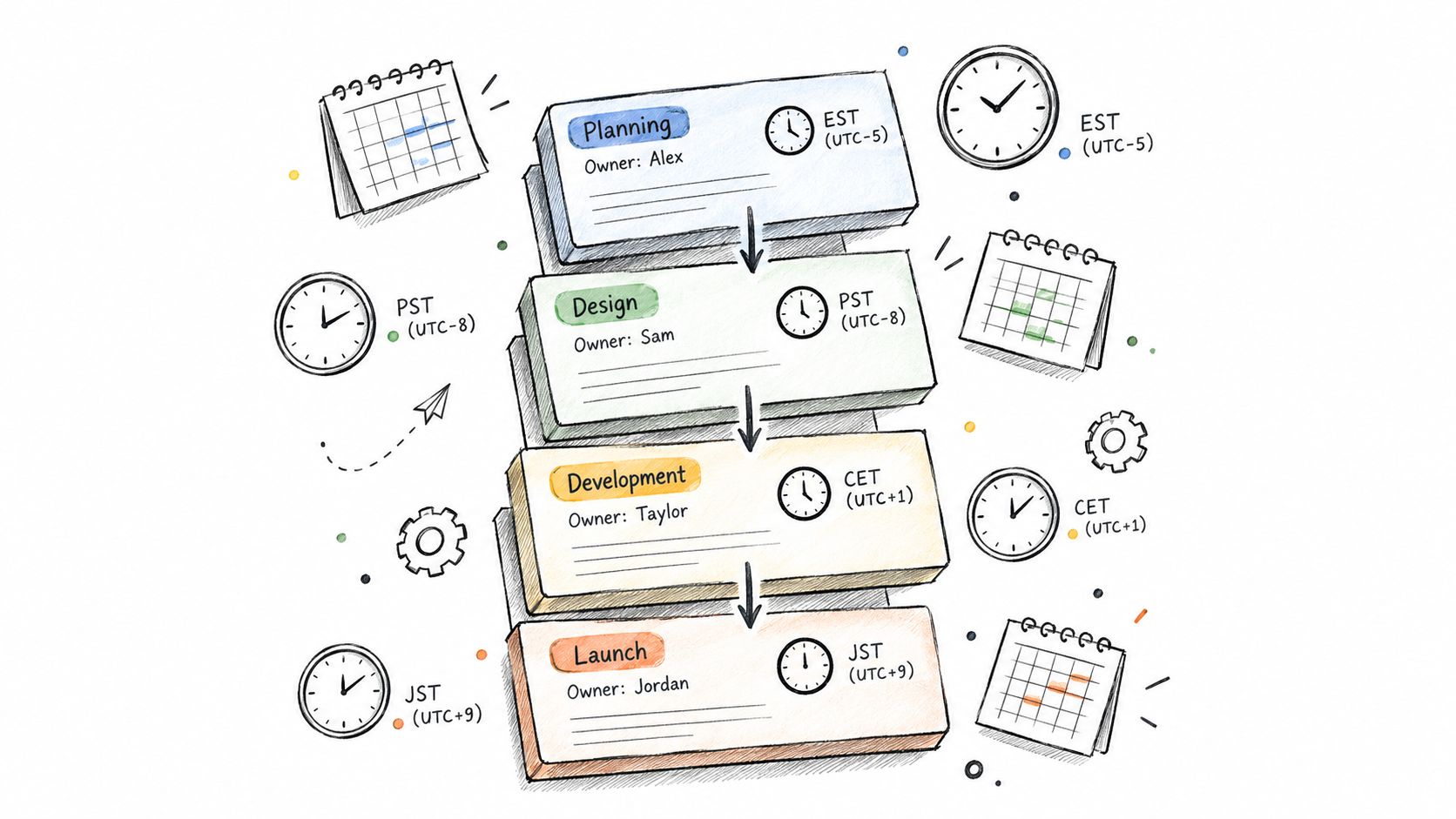
Use timezone-aware schedules for regional teams, and account for daylight-saving changes rather than assuming one fixed offset. Sequence dependencies deliberately. Application servers should stop before backing databases, and databases should start before services that depend on them. Backups, migrations, integration tests, and incident response need explicit exclusions.
Run a dry mode first. Record intended actions without changing resources, then ask owners to review the proposed scope. After approval, set thresholds for changes, coordinate with maintenance windows, and retain an audit record for every action. A point-and-click tool such as drag-and-drop scheduling can make the schedule visible, but visibility doesn't replace ownership.
Safety rule: Every automated action needs a documented rollback path and an alert when health checks fail.
For resize decisions, use measurable evidence. AWS Cost Explorer classifies an EC2 instance as idle when maximum CPU utilization is at or below 1%, and as underutilized when another instance type could reduce cost, using up to 14 days of CPU, memory, network, and EBS performance data, according to AWS rightsizing criteria. Treat those findings as triggers for review, not permission to change blindly.
The KPIs That Prove Automation Is Working
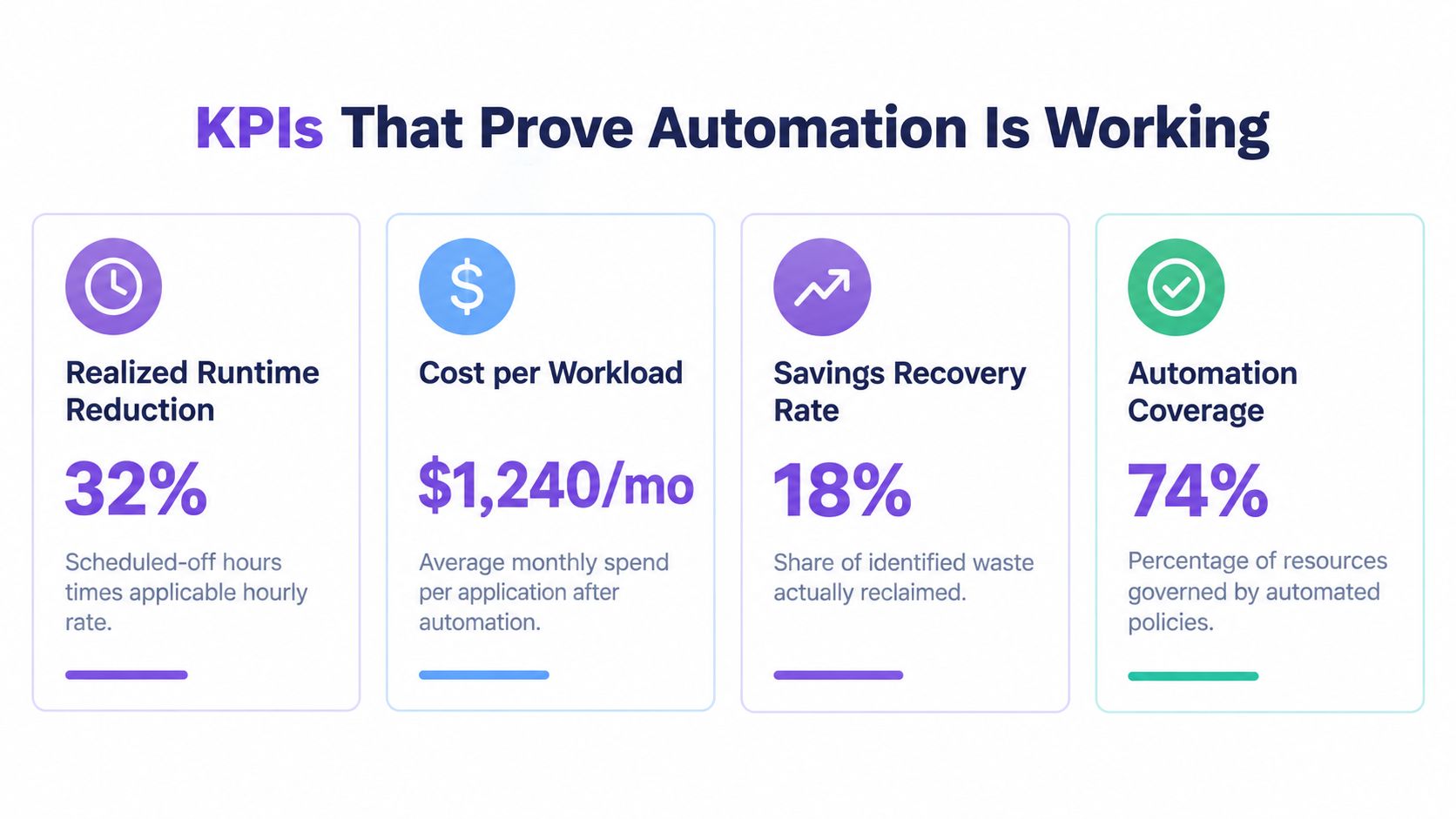
A lower cloud bill doesn't prove that automation worked. Usage may have fallen, prices may have changed, or another team may have shifted workloads. Track measures that isolate the policy's contribution.
| KPI | Calculation | What It Reveals |
|---|---|---|
| Realized runtime reduction | Scheduled-off hours multiplied by the applicable hourly rate, reconciled against billing | Money actually avoided |
| Exception rate | Overrides divided by scheduled actions | Whether the policy fits operations |
| Failed-action rate | Failed actions divided by attempted actions | Reliability of execution |
| Unit-economics impact | Cost per developer, test run, or active tenant | Whether savings improve the business |
AWS Cost Explorer calculates rightsizing recommendations using On-Demand hours and the applicable instance-type rate, with estimated monthly savings and savings percentages that can be filtered for idle, underutilized, Savings Plan, and Reserved Instance scenarios, as documented in AWS rightsizing recommendations. Keep those estimates separate from realized savings until billing confirms the change.
Review operational KPIs weekly. Review the financial KPI monthly. Review unit economics quarterly, using measures that matter to the business. A policy that saves money but increases developer waiting time or failed test runs may be a poor trade.
Use budget variance analysis to explain the difference between forecast, projected savings, and recovered savings. That distinction builds trust with finance and gives engineering a fair view of operational costs.
Why the Best Target Is Not Always the Largest Idle Resource
The largest idle resource is often the most tempting target, but it isn't automatically the best one. A QA database that stops reliably overnight offers a clear link between operating hours and savings. A globally shared test environment may consume more, yet its restart delays and coordination costs can erase the benefit.
FinOps is expanding beyond infrastructure reduction. The 2026 State of FinOps survey reports that 58% of respondents prioritize workload optimization, while 98% manage AI spend, signaling a move toward governance, forecasting, and unit-economics reporting in addition to infrastructure savings, according to the State of FinOps data.

Rank opportunities by confidence. Ask whether the owner is known, the schedule is stable, restart behavior is understood, dependencies are documented, and savings can be reconciled. A smaller resource with a clean policy is more valuable than a large resource governed by a fragile blanket shutdown.
Safe, auditable automation beats aggressive automation that nobody trusts.
For resize reviews, teams can use AWS EC2 rightsizing guidance to connect utilization evidence with capacity requirements. The recommendation should still account for latency, throttling, connection limits, and failed jobs.
Adopting Cloud Cost Automation Safely
A workable governance loop can begin this week. Classify environments by eligibility, assign owner metadata, define timezone-aware schedules, and write exceptions for backups, migrations, maintenance, and incidents. Add dependency-aware sequencing, dry runs, audit logs, rollback alerts, and the four KPI reviews before expanding scope.
Six months later, your team should answer two questions without searching through old tickets: which resources were automated, and what did the policy save? It should also be able to explain how every action would be reversed if workload behavior changed.
Reported waste fell from 32% to 27% over four years, then rose to 29% in 2026 as AI and new cloud services made rightsizing and forecasting harder, according to the 2026 FinOps report summary. That movement reinforces the point. Automation isn't a one-time cleanup project. It needs review, evidence, and policies that evolve with the workload.
As AI workloads, SaaS charges, licensing, private cloud, and data-center costs enter FinOps scope, explainable rules will matter more than blanket shutdowns. Server Scheduler provides point-and-click scheduling for AWS server, database, and cache operations, including start, stop, resize, and reboot windows with timezone support and audit logs.
Server Scheduler helps AWS teams turn approved operating windows into visible schedules for EC2, RDS, and ElastiCache, with actions that can be reviewed and audited. Visit Server Scheduler to define safer runtime and resize policies for your non-production and off-peak workloads.