Cloud Scheduling Software Guide to Cost Savings
The monthly cloud bill arrives, and the surprise isn't a traffic spike. QA servers, staging databases, and development caches stayed online overnight. Cloud scheduling software prevents that quiet waste by applying resource changes at defined times, while giving engineering and FinOps teams a record of what happened.
Start a free Server Scheduler trial and test scheduled controls against a safe non-production environment.
Contents
- Introduction to Cloud Scheduling Software
- Understanding Cloud Scheduling Software
- Core Features of Cloud Scheduling Software
- Benefits of Cloud Scheduling Software
- Common Use Cases for Cloud Scheduling Software
- Integration Considerations for Cloud Scheduling Software
- Choosing and Evaluating Cloud Scheduling Software Vendors
- Conclusion and Next Steps
Ready to Slash Your AWS Costs?
Stop paying for idle resources. Server Scheduler automatically turns off your non-production servers when you're not using them.
Introduction to Cloud Scheduling Software
Cloud scheduling software applies planned actions to cloud resources, such as starting, stopping, resizing, or rebooting them. It's especially useful for development, test, staging, batch, and business-hour workloads. The aim isn't only a smaller bill. A good schedule also makes ownership, exceptions, maintenance, and recovery easier to manage. This guide covers the operating model, core features, use cases, integrations, and vendor checks. For broader financial controls, see this guide to cloud spend management.
Understanding Cloud Scheduling Software
Think of an office building with lights that follow occupancy and timetable rules. Nobody needs to visit every room at night, yet the lights still respond consistently. Cloud scheduling software does something similar for infrastructure, using a visual calendar or time grid rather than scattered cron jobs and scripts.
AWS EC2 helped establish this model in 2006 by making computing capacity resizable through the internet, as described in the IEA account of cloud and data-center infrastructure. Scheduling extends that elasticity with planned lifecycle actions. Time zones matter when teams operate across regions, and audit logs matter when someone asks whether a stop action ran, failed, or was overridden.
Core Features of Cloud Scheduling Software
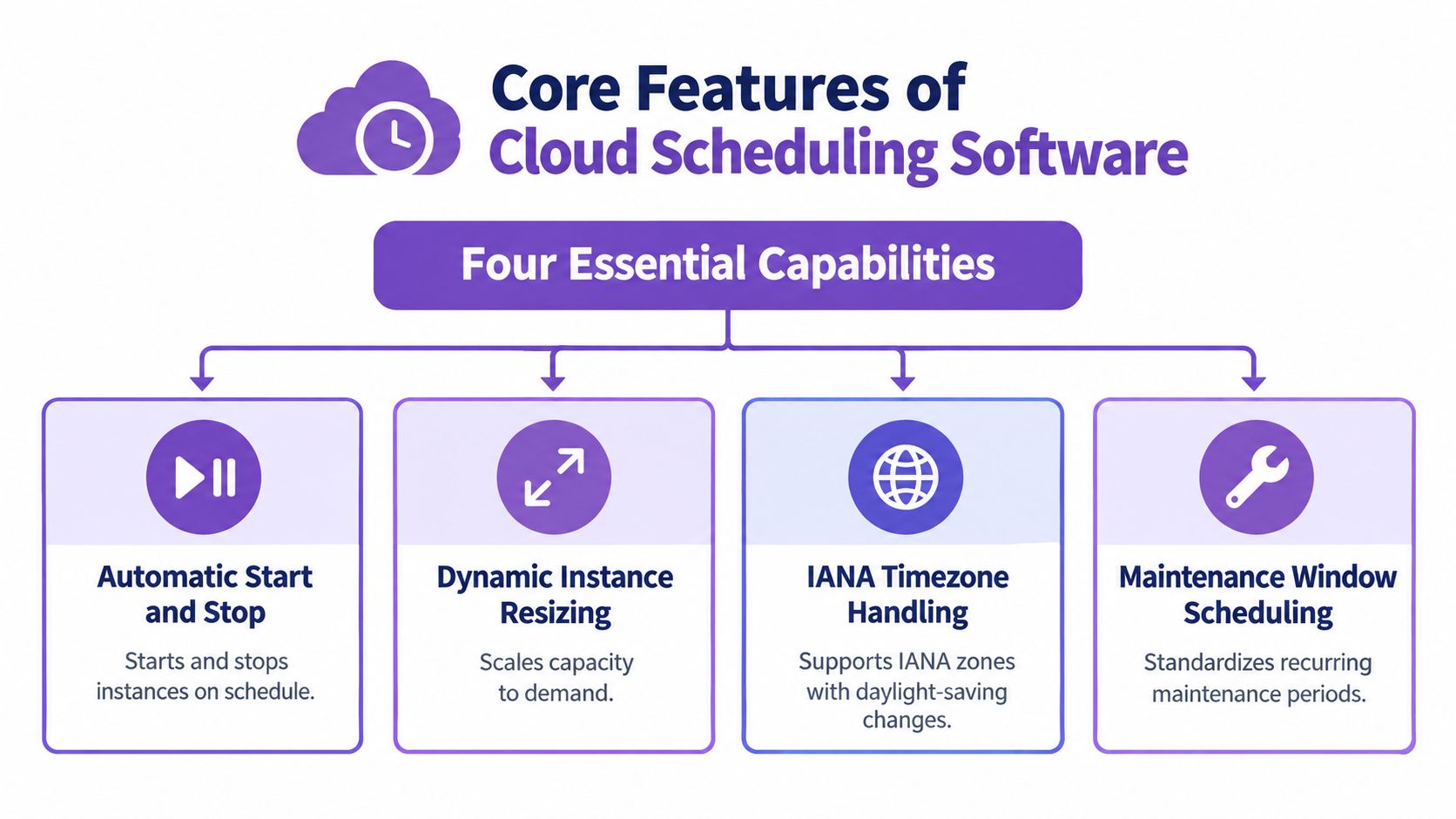
Start and stop rules are the foundation. A QA fleet can start before the workday and stop afterward, while a demo environment can follow a temporary project calendar. The operation should be idempotent, meaning repeating a desired state doesn't create a second, conflicting action.
Resizing adds another control. A reporting database might use a larger configuration during a known processing window and a smaller one afterward. That differs from autoscaling. Scheduling enforces a known state at a known time, while autoscaling reacts to live demand signals, as AWS explains in its cost-optimization guidance.
Timezone handling prevents a “business hours” rule from becoming a regional outage. Use an explicit IANA time zone and test daylight-saving changes instead of relying on the scheduler's server clock.
Practical rule: Record the requested time, execution time, API result, and final resource state. A successful API call isn't proof that the resource reached the intended state.
Audit logs turn automation into governance. They show who defined a schedule, which exception applied, and whether a database or cache followed the same lifecycle. A visual drag-and-drop scheduling workflow can reduce script sprawl, but it still needs permissions and review.
Benefits of Cloud Scheduling Software
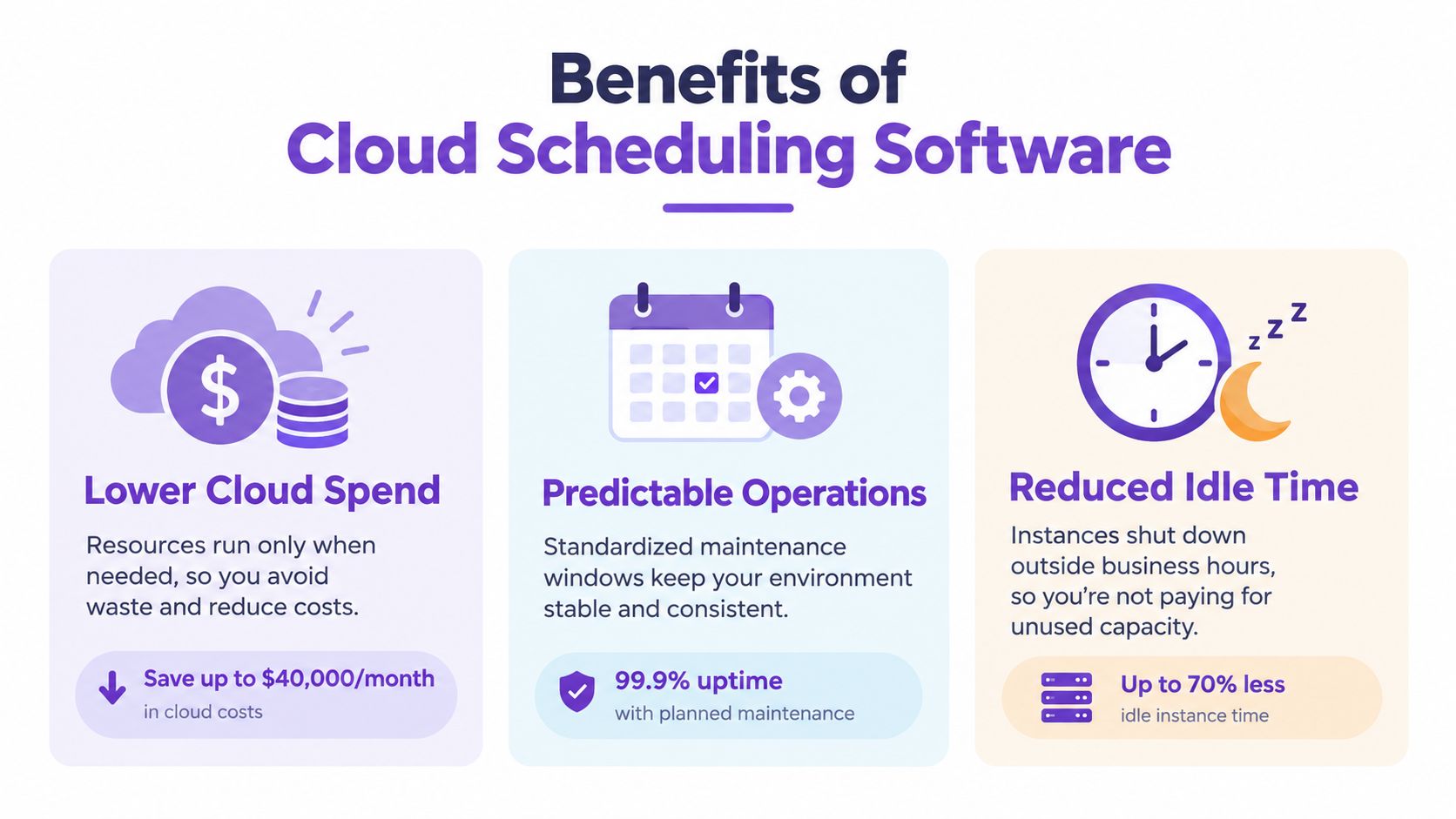
The clearest benefit is removing idle runtime from predictable workloads. AWS guidance gives a useful upper bound for non-production environments used eight hours each weekday. They can be stopped for the remaining 128 of 168 weekly hours, leaving 40 chargeable hours and creating a potential 75% compute-cost reduction, before storage and related charges, according to the EC2 lifecycle documentation.
That saving isn't a promise for every bill. EBS volumes continue to incur storage charges, and teams must account for monitoring, backups, IP addresses, dependencies, startup time, and exceptions. The operational gain is equally important: predictable windows reduce overnight alerts and make maintenance easier to coordinate. For a broader introduction to business process automation benefits, the same principle applies: repeatable rules let people spend less time on routine intervention.
Common Use Cases for Cloud Scheduling Software
A QA team can schedule test servers and staging databases to start before testers arrive and stop overnight. Add exclusions for release rehearsals, incident response, and approved weekend work.
An analytics team may resize a cluster for a reporting window, then return it to a smaller configuration afterward. The schedule should include dependency checks and a confirmation that the workload completed before capacity changes.
Database maintenance is another practical use. A nightly reboot can follow a defined maintenance window, with notifications and health checks before applications reconnect. Teams managing AWS resources can review this EC2 start and stop scheduling workflow before applying rules to production.
Integration Considerations for Cloud Scheduling Software
Cross-cloud scheduling creates pitfalls that a single-provider demo can hide. AWS, Google Cloud, and Azure use different APIs, resource names, permission models, service lifecycles, and billing behavior. A scheduler must map those differences without losing a consistent record of intent and outcome.
| Cloud Provider | Supported Actions | Integration Status |
|---|---|---|
| AWS | EC2, RDS, and ElastiCache start, stop, resize, and reboot controls | Server Scheduler supports AWS today |
| Google Cloud | Compute Engine, Cloud SQL, and Memorystore lifecycle controls | Coming soon for Server Scheduler |
| Azure | Provider-specific compute, database, and cache actions | Roadmap item, verify availability with the vendor |
Begin with narrowly scoped roles, explicit account mapping, and timezone ownership. Then test a stopped resource, a failed API call, a manual override, and a restart dependency. Cost allocation tags can connect resources to an owner, environment, application, or cost center through AWS billing reports, as documented in AWS cost allocation tags.
Choosing and Evaluating Cloud Scheduling Software Vendors
Run a proof of concept before procurement. Test daylight-saving behavior, overlapping schedules, retries, permission failures, audit-log retention, and emergency overrides. Ask whether the vendor supports IAM roles, encryption, least-privilege access, notifications, and exportable records.
Workflow fit matters too. A platform may be visual, code-first, CLI-driven, or built for large dependency graphs. Compare its pricing model with the operational effort your team will carry. Server Scheduler, for example, connects to AWS accounts and provides point-and-click schedules for supported server, database, and cache actions. Use this AWS Instance Scheduler comparison as one input, not as a substitute for testing your own workloads.
Conclusion and Next Steps
Cloud scheduling software is more than an on/off switch. It connects predictable infrastructure actions with cost ownership, auditability, maintenance, and cross-cloud governance. Start with non-production resources, measure scheduled versus actual runtime, document exceptions, and expand only after health checks prove reliable.
Related articles
Server Scheduler offers visual schedules for AWS resource start, stop, resize, and reboot actions without requiring cron jobs or Terraform. Visit Server Scheduler, connect a suitable non-production account, and see whether scheduled controls improve your runtime discipline.