Cloud Infrastructure Cost: Drivers, Measurement, and Control
Flexera's 2025 State of the Cloud report put wasted IaaS and PaaS spending at roughly a quarter of cloud budgets, even as spend kept growing. The findings usually aren't the bottleneck. Every hour a recommendation sits in a queue, the meter keeps running.
Cloud infrastructure cost is an execution-latency problem. An idle instance keeps billing until someone shuts it off, and a dashboard flag changes nothing by itself. Judge each control by time-to-remediation: how fast a schedule stops a dev environment, how quickly a rightsizing change ships, how soon a commitment rate reaches real usage.
If idle resources are running in your AWS accounts, pick one predictable off-hours window and test a reversible schedule against it. A schedule you can roll back is a safer first move than a savings target nobody acts on.
Contents
- Why Cloud Infrastructure Cost Is Now an Operating Discipline
- The Four Cost Drivers Behind Every Cloud Bill
- Measuring and Attributing Cloud Spend
- Rightsizing, Scheduling, and Commitments in the Right Order
- How Scheduling Removes Cost Without Changing Code
- Guardrails That Make Scheduled Savings Safe
- A Recurring Cadence for Cloud Cost Governance
- Frequently Asked Questions About Cloud Infrastructure Cost
Ready to Slash Your AWS Costs?
Stop paying for idle resources. Server Scheduler automatically turns off your non-production servers when you're not using them.
Why Cloud Infrastructure Cost Is Now an Operating Discipline
Gartner projected worldwide public-cloud end-user spending of $723.4 billion in 2025, with infrastructure-as-a-service (IaaS) accounting for a projected $211.9 billion, up 24.8% year over year (Gartner's public-cloud forecast). Those forecasts put infrastructure spending firmly in the territory of operating finance, not an occasional cleanup task.
The shift matters because cloud infrastructure cost recurs with every workload cycle. Engineering teams decide when environments run, how much capacity they request, and whether resources stay active after they're useful. Finance can set targets, but engineers control many of the choices that determine whether spend follows real demand.
Visibility alone won't change the bill
A dashboard can tell a team that an instance is idle. It can't decide whether shutting it down will interrupt a test, break a dependency, or leave a shared environment unavailable. That gap between detection and safe action is where cost programs stall.
Treat cost as an operating discipline: identify waste, decide who can act, apply changes, and check that the workload still behaves properly. One-time migration savings don't substitute for ongoing management as services and usage patterns change.
The useful frame is four cost drivers, compute, storage, networking, and managed services, paired with a control stack: scheduling for predictable idle periods, rightsizing for sustained excess capacity, and commitments for demand that's stable.
The Four Cost Drivers Behind Every Cloud Bill
A cloud bill behaves like a monthly household utility bill: the total is useful, but the line items tell you what to do. Compute resembles electricity used while equipment is on. Storage is closer to the cost of keeping things in the basement. Networking reflects traffic moving through the doorway, while managed services can carry ongoing charges for the convenience and capacity of provider-operated systems.
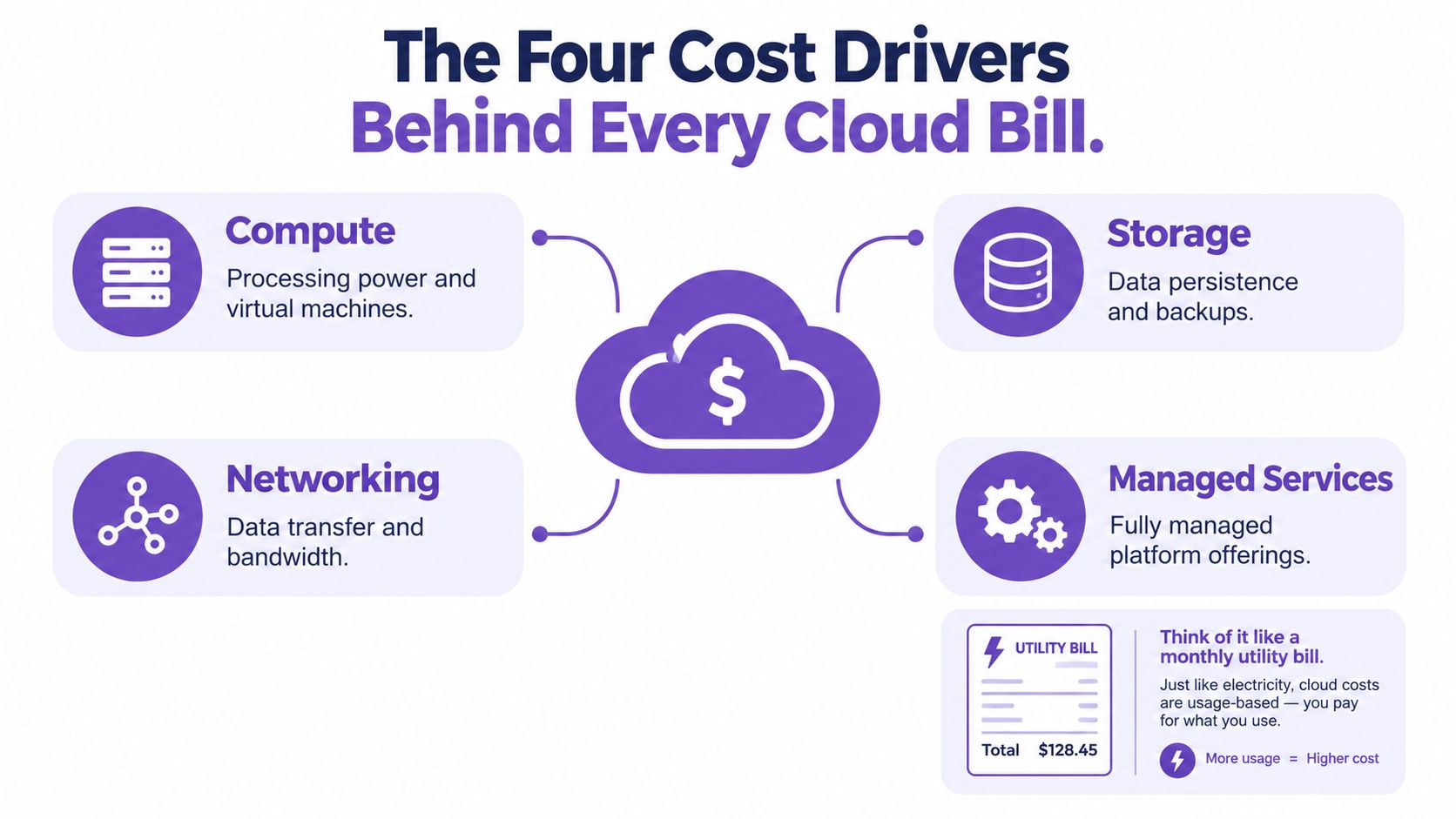
Compute usually responds most directly to runtime and instance size. If a development server can be stopped outside working hours, scheduling can reduce its compute charges without changing the application. Rightsizing addresses a different problem: paying for more capacity than the workload needs while it runs.
Storage follows retained data and provisioned capacity, not just whether a virtual machine is running. Stopping compute doesn't automatically remove persistent volumes, snapshots, or managed database storage. Review retention and attached resources separately before interpreting a shutdown as a complete saving.
Networking can reflect traffic patterns and supporting resources, including data transfer, load balancers, and public IPv4 addresses. These charges might not fall just because a server is off, so trace the specific line items back to the services that generate them.
Managed services include platforms such as managed databases and caches. Their costs can depend on runtime, selected capacity, storage, and service-specific minimums or licensing. For a broader framework for tracing these items, see this guide to cloud total cost of ownership.
Measuring and Attributing Cloud Spend
A charge nobody owns stays running. The fastest way to shorten time-to-remediation is to put every line item in front of a team that can act on it, which is what tags, showback, and chargeback are for.
Start with a small set of consistent tags: team, environment, application, owner. Apply them through provisioning standards, then make exceptions visible rather than letting untagged spend settle into a shared bucket. Every dollar without an owner is a decision nobody will make.
Showback and chargeback solve different problems. Showback gives teams visibility into what they consume; chargeback puts that consumption on their budget. Teams new to managing cloud spend tend to respond better to showback first, since a report people trust changes behavior faster than an invoice people dispute.
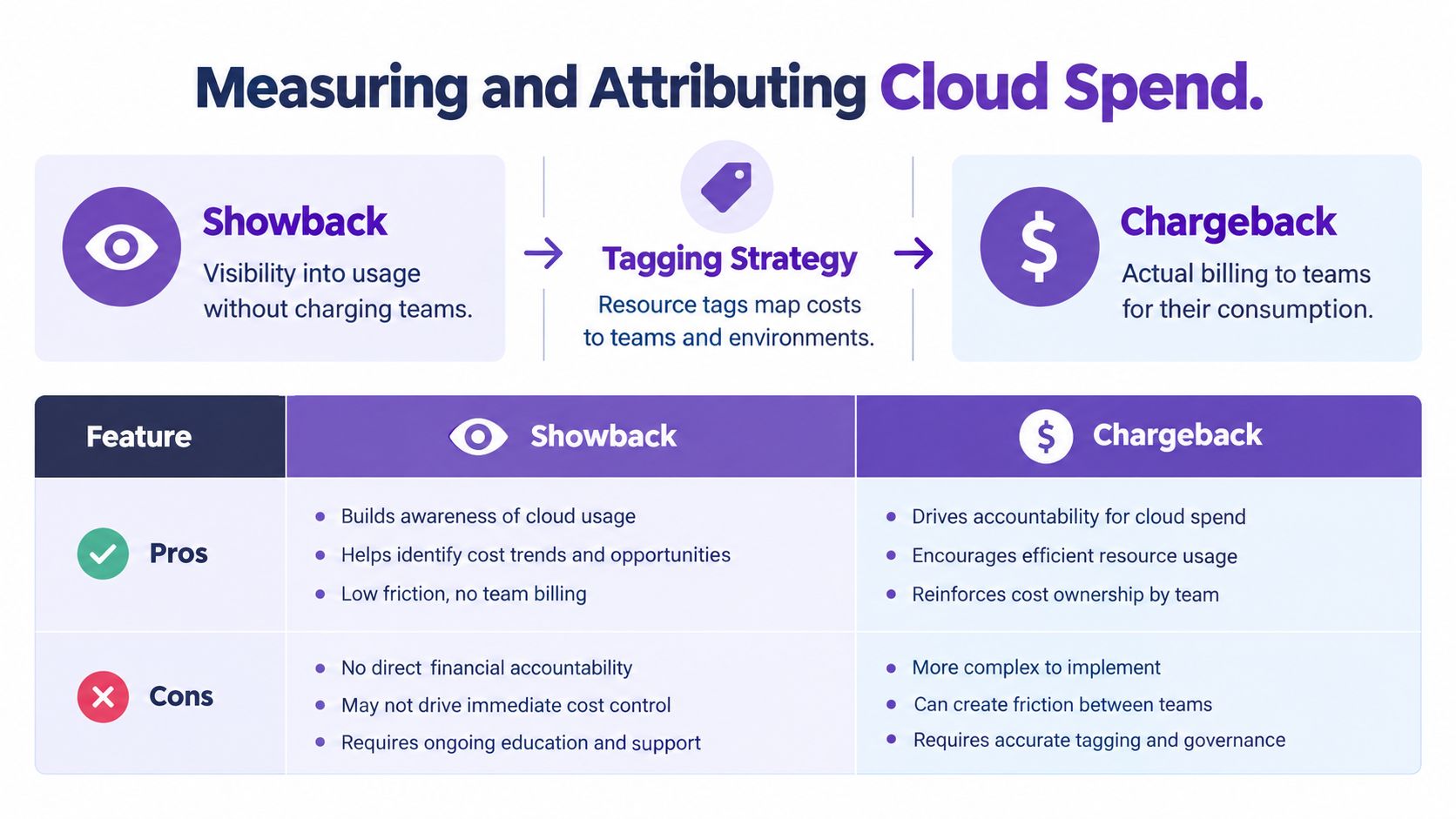
| Dimension | Showback | Chargeback |
|---|---|---|
| Purpose | Makes consumption visible | Assigns consumption to a team budget |
| Best fit | Building cost awareness | Reinforcing ownership and accountability |
| Trade-off | Visibility may not prompt action by itself | Poor allocation rules can create disputes |
Keep allocation rules legible. Shared networking or platform services need a documented split that teams can check; a dedicated test environment maps directly to its owner. When a team's bill moves month over month, budget variance analysis gives a framework for separating a real usage change from an allocation artifact.
Attribution sets the ceiling on remediation speed. In a 2025 survey of developers and engineering leaders, 86% said they needed at least a week to identify idle resources, and organizations took an average of 31 days to remove idle resources (Harness's FinOps findings). That gap is an execution-latency problem. The idle resource was usually findable earlier; what took weeks was the handoff from report to owner to action. Tagging and allocation shrink the first leg of that delay, and they give you the baseline to measure whether the rest of the handoff is getting faster.
Rightsizing, Scheduling, and Commitments in the Right Order
Cost controls work better as a sequence than as a menu. Start by removing resources that aren't needed, then match capacity to measured demand, and only then commit to usage that remains stable after those changes.
Scheduling is the practical first move for predictable idle windows. If a non-production environment isn't needed overnight, turning it off can stop its compute runtime. For resources that must remain active, rightsizing can reduce the cost of those required hours.
Measure before changing capacity
AWS Well-Architected guidance identifies EC2 instances whose maximum CPU and memory utilization both remain below 40% over a four-week period as candidates for rightsizing (AWS's resource-sizing guidance). That observation window helps distinguish persistent underuse from a temporary lull.
Don't treat CPU as a complete workload profile. Memory, network, storage, and application behavior can reveal constraints that a CPU-only review misses. Validate the proposed size against the workload before applying it, and keep a way to restore the prior configuration.
Practical rule: Don't buy a commitment to preserve capacity you haven't checked. Rightsize first, then assess which remaining usage is steady enough to justify a Savings Plan or Reserved Instance.
Commitments can lower the cost of predictable, continuous usage, but they reduce flexibility if the workload changes or the selected capacity proves excessive. For teams reviewing instance fit, AWS EC2 rightsizing provides a related starting point for comparing resources against actual demand.
How Scheduling Removes Cost Without Changing Code
Consider a development or QA environment that runs continuously. A schedule that keeps it active for 12 hours on each weekday changes its runtime from 168 hours to 60 hours per week, a 64.3% reduction in compute-running hours before storage, licensing, data transfer, or minimum-capacity charges are considered. That's an upper-bound runtime comparison, not a guarantee that the total bill falls by the same proportion.
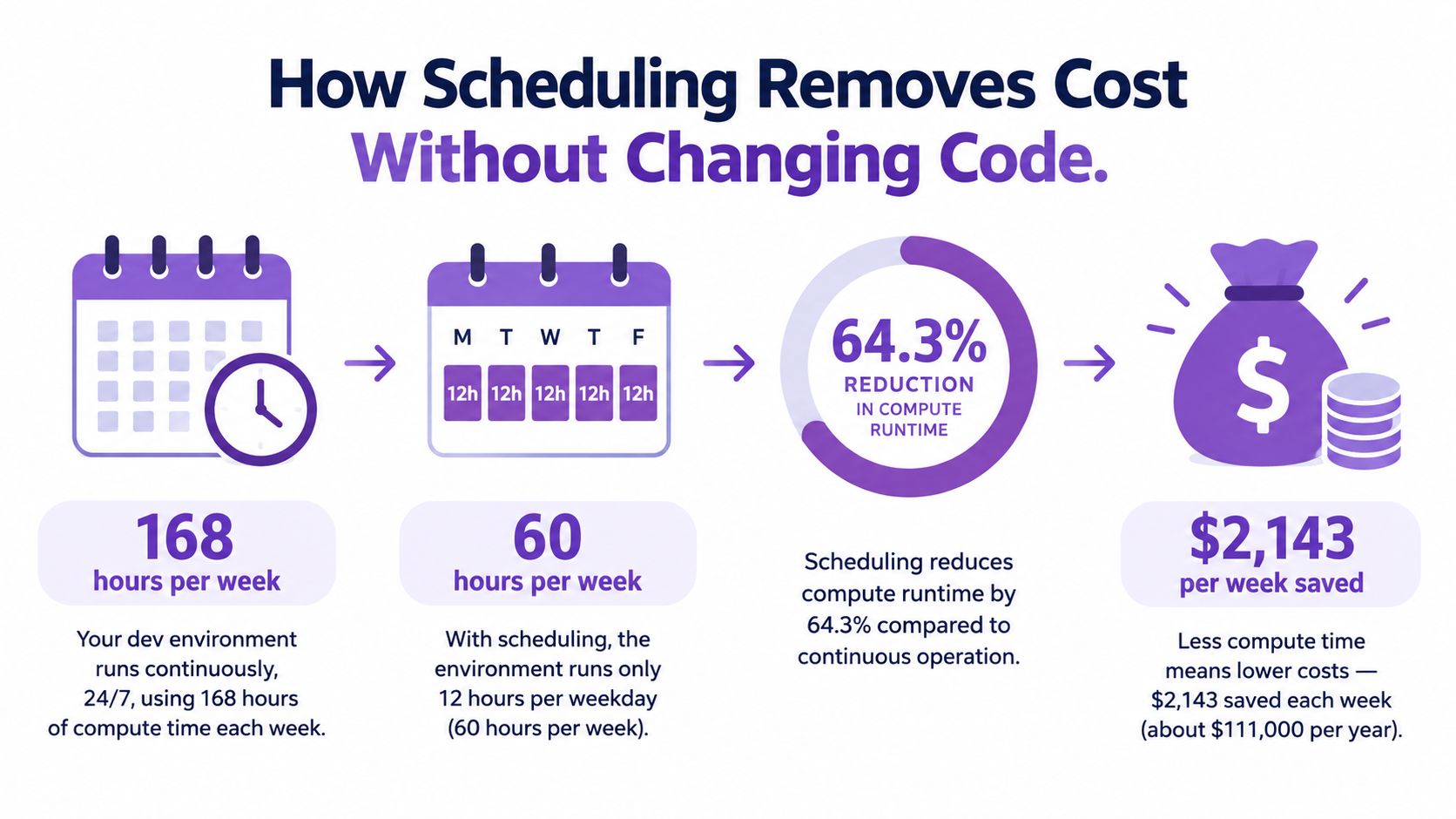
EC2 On-Demand compute charges apply while an instance is running. Eligible configurations are billed in one-second increments with a 60-second minimum, and stopping an instance ends its compute charges, though attached storage such as EBS can still cost money (starting and stopping EC2 instances is different from claiming every resource is eligible for shutdown: the calendar and dependencies still need to match the workload.
Here's an example of the scheduling workflow in action:
Guardrails That Make Scheduled Savings Safe
A shutdown policy isn't safe just because it works on a calendar. Databases may need backups, maintenance windows, or time to warm up. Caches can lose state. Production services may have availability requirements that make an automated stop unacceptable.
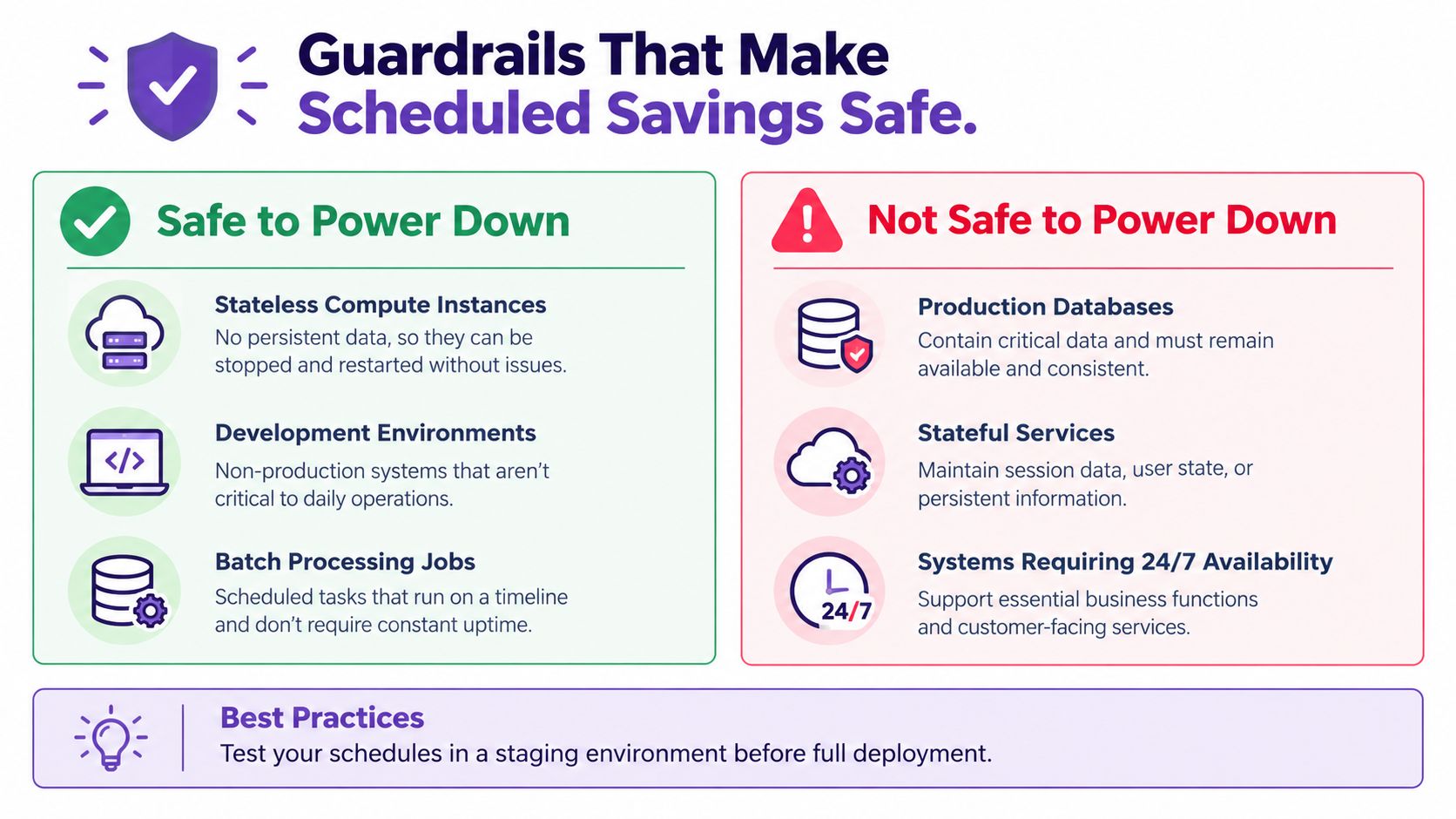
For predictable, lower-risk targets, start with development environments, stateless compute, and batch jobs that can finish or resume cleanly. Treat production databases, shared services, and stateful caches as review-required until their owners confirm that a schedule fits their recovery and availability needs.
Make the schedule reversible
A useful policy defines more than an off time. It should establish dependency ordering, a timezone-aware operating window, holiday exceptions, startup validation, an audit trail, and a rollback procedure. If the service doesn't return healthy, someone needs to know what happened and how to restore its prior state.
Test schedules before applying them broadly. Check whether jobs finish before shutdown, whether dependent services start in the right order, and whether teams can still access the environment when needed. This is reliability-aware scheduling: the cost change is accepted only when the system remains usable.
The safest initial target is predictable non-production idleness, not aggressive production shutdowns.
A Recurring Cadence for Cloud Cost Governance
Cloud waste is an execution-latency problem: a finding has no cost impact until someone reviews it, owns the change, and applies it safely. The waste share cited at the start of this article doesn't shrink on its own; it shrinks when a review cycle keeps acting on it. Set a recurring review so unresolved findings do not sit in a dashboard indefinitely.
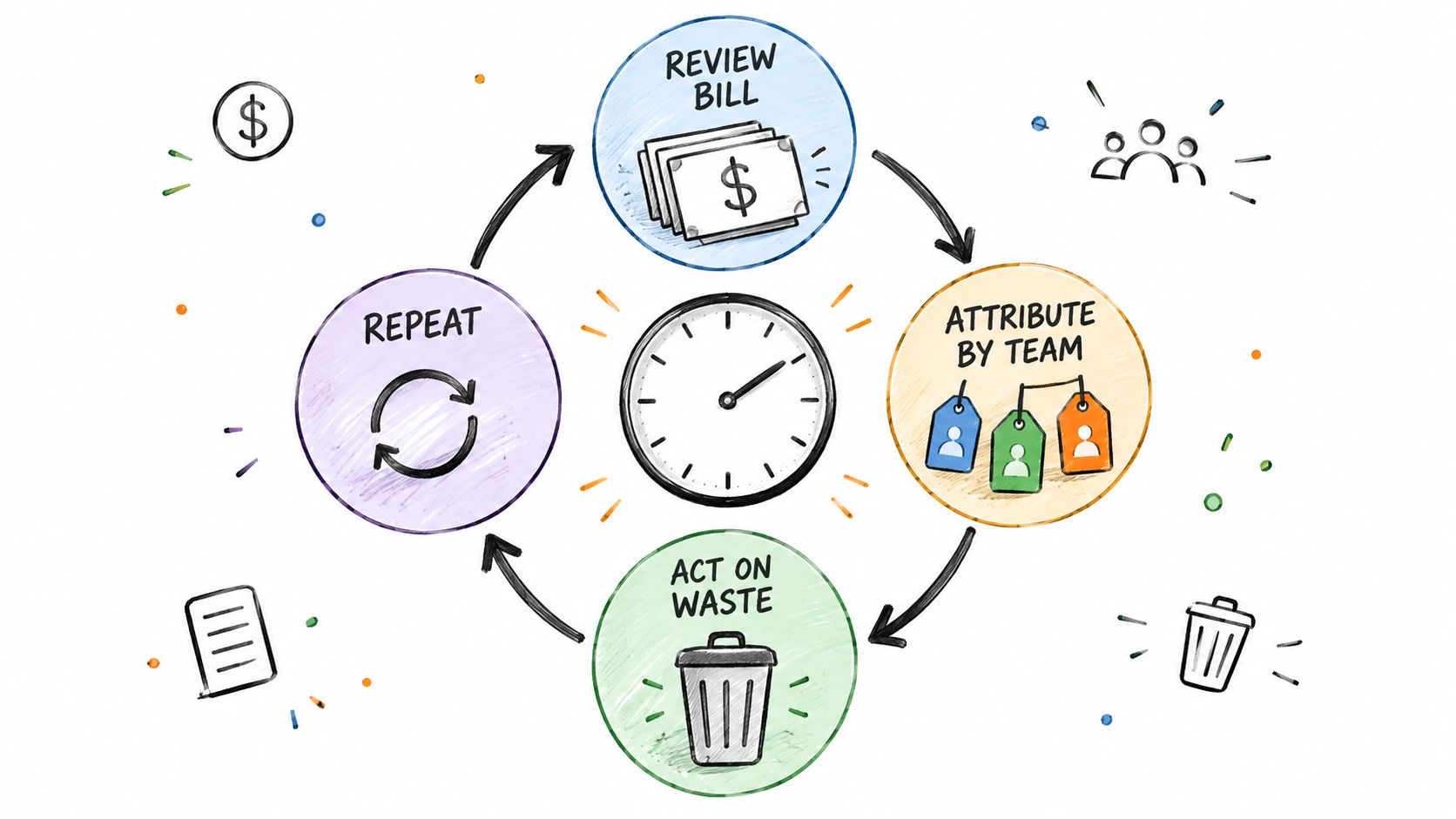
A monthly cycle gives teams a regular point to move from finding to remediation:
- Review: Identify material charges and usage changes.
- Attribute: Confirm each charge has an accountable team and environment.
- Act: Assign an owner and a specific change, such as scheduling predictable idle runtime or investigating sustained overprovisioning.
- Verify: Confirm the workload remains healthy and check whether the relevant charge changed.
Measure the time between flagging a resource and safely applying its fix. Scheduling can remove idle runtime at the next approved window; rightsizing depends on an owner reviewing usage and changing capacity; commitments should follow validation of steady demand. Shorter review-to-action times keep findings from recurring across billing cycles.
Engineering owns workload fit and safe operating windows. Finance and FinOps establish allocation rules, interpret budgets, and assess commitments. Teams formalizing those responsibilities can use this guide to infrastructure governance. Scheduling tools can standardize recurring maintenance for resources such as EC2, RDS, and ElastiCache, while owners remain accountable for policies and exceptions.
Frequently Asked Questions About Cloud Infrastructure Cost
How do I know if scheduling savings are real?
Compare compute charges before and after the schedule, while tracking storage, addresses, load balancers, and restart overhead separately. Check that jobs still complete and teams can use the environment as intended. Lower compute spend does not count as a win if failures or recovery work offset it.
Should I schedule RDS the same way as EC2?
Set the window with the database owner after reviewing backups, dependencies, startup behavior, and availability requirements. Storage and attached services may continue to incur charges while a managed database is stopped. Check each billable component before estimating savings.
When should I consider Savings Plans or Reserved Instances?
Consider commitments after removing unused capacity, matching resource sizes to observed demand, and confirming which usage is likely to remain steady. Commitments fit predictable demand; schedules fit resources with known idle windows. Committing before validating resource needs can lock spend into capacity you should not be running.
How can I measure time-to-remediation?
Log three timestamps for each flagged resource: when it was flagged, when its owner reviewed it, and when the change was safely applied. Compare the median time between each step. That shows whether delay comes from detection, ownership handoff, or implementation, and gives you a baseline for tracking improvement.
Server Scheduler provides point-and-click scheduling for AWS server, database, and cache operations, including start/stop windows, resizing, and reboots for supported resources. Teams can use it to run recurring off-hours actions with defined controls and an audit trail. Visit Server Scheduler.