Cloud Spend Management: A Practical FinOps Playbook
A growing AWS bill rarely arrives with a clear owner. One team leaves a staging cluster running, another overprovisions databases for a launch, and finance sees the combined result only after the invoice lands. Flexera found that 84% of organizations name managing cloud spend as their top cloud challenge, while cloud budgets are expected to rise by 28% in the coming year (Flexera's 2026 cloud findings).
Start with visibility, then automate the waste you can measure. A scheduling policy for non-production AWS resources is often the fastest way to create savings and credibility for the governance work that follows.
Contents
Ready to Slash Your AWS Costs?
Stop paying for idle resources. Server Scheduler automatically turns off your non-production servers when you're not using them.
Introduction
Cloud spend management isn't a one-time invoice review. It's an operating practice for understanding who spends what, why resources are running, and which changes preserve business value while removing waste. The hard part isn't finding one oversized EC2 instance. It's creating a system that catches the next one before it becomes part of the monthly baseline.
The practical sequence is straightforward. Establish visibility, separate usage optimization from rate optimization, assign ownership through FinOps, automate scheduling and rightsizing, then consider commitments once demand has stabilized. For AWS-heavy teams, that sequence keeps cost control grounded in infrastructure reality rather than budget targets alone.
What Cloud Spend Management Really Means
Think of cloud computing as an electricity meter that never sleeps. Every EC2 instance, RDS database, and cache node keeps billing while it runs, whether engineers are using it or not. Cloud spend management connects that meter to three actions: visibility, allocation, and optimization.
Visibility shows spend by account, service, region, environment, and team. Allocation gives each meaningful cost center an owner through tags, projects, or showback. Optimization then acts on the result, either by changing consumption or by lowering the rate paid for stable consumption. The difference between cloud cost and total ownership matters because a cheap resource can still create operational or reliability costs if engineers manage it poorly.
Usage optimization includes rightsizing, scheduling, autoscaling, and removing idle or orphaned resources. AWS defines rightsizing as matching instance type and size to workload performance and capacity requirements, including turning off idle instances and downsizing overprovisioned ones (AWS rightsizing guidance). Rate optimization covers Reserved Instances, Savings Plans, Committed Use Discounts, and Spot capacity.
| Question | Practical answer |
|---|---|
| Where is money going? | Billing visibility by service, team, and environment |
| Who owns it? | Tags, accounts, projects, showback, or chargeback |
| What changes first? | Idle resources, schedules, and oversized capacity |
| What comes later? | Commitments against a stable usage baseline |
Unlike traditional IT budgeting, cloud spend is operational and decentralized. An engineer can change the bill with a deployment, a data-retention setting, or a forgotten test environment. A CFO can understand the model as a continuous loop: measure consumption, assign responsibility, remove waste, and pay better rates for what remains.
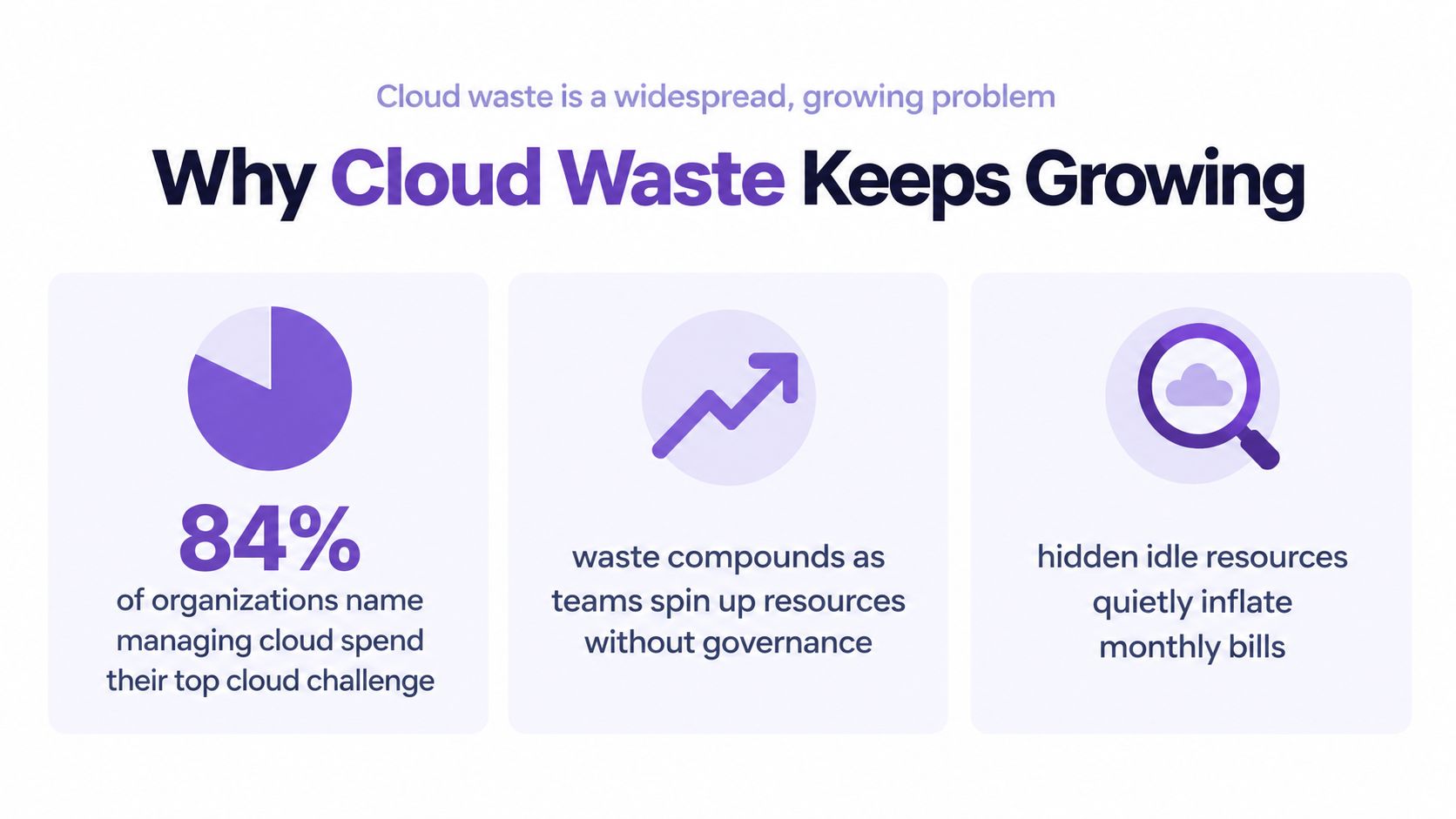
Why Cloud Waste Keeps Growing
Cloud waste persists because the default engineering behavior is to provision for safety and forget to revisit the decision. Non-production resources run outside working hours, storage survives the workload that created it, and instance sizes selected during a launch remain in place after demand changes.
Independent FinOps benchmarking places common waste from idle, orphaned, and overprovisioned resources at 28–34% of total cloud spend (cloud waste benchmark data). The largest recoverable pools include idle instances, oversized instances, unused storage, and unoptimized egress.
Practical rule: Treat waste as a recurring leak, not a cleanup project. Every new environment needs an owner, a schedule, and a deletion path.
The economics are changing again as AI workloads introduce more variable consumption. Flexera reported that wasted cloud spend reached 29% in 2026, up from 27% in 2025, while cloud-based AI workloads contributed to the new waste (Flexera on cloud value and AI waste). That makes governance more important than isolated savings tricks. Teams need policies for experiments, forecasting, attribution, and lifecycle management.
Automated detection and remediation reduced the benchmarked waste categories by an average of 74% within 60 days, according to the same independent benchmark (automated waste remediation findings). The immediate priority is therefore clear: target resources that are easy to identify and safe to stop before redesigning production architecture.
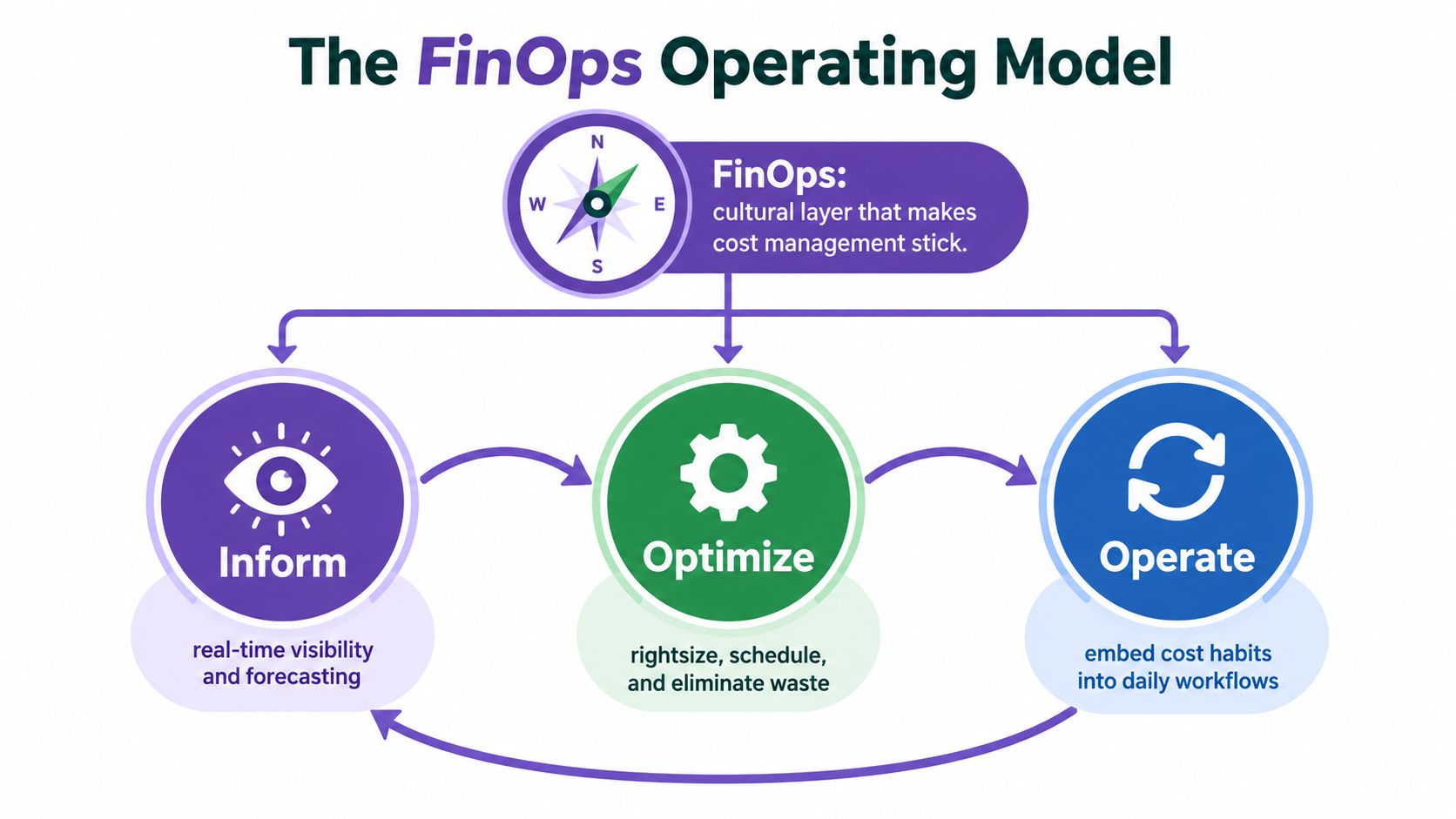
The FinOps Operating Model
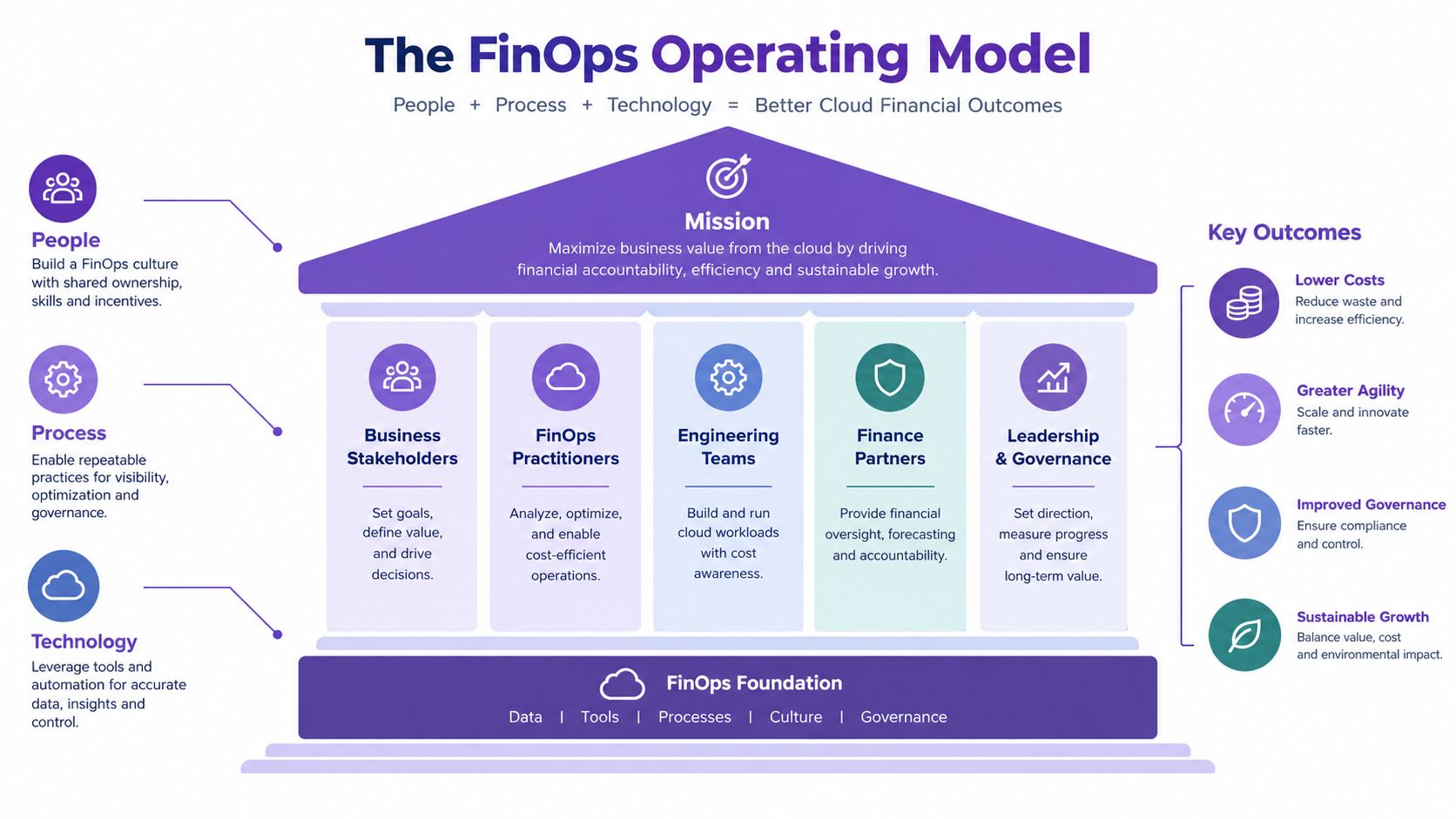
FinOps supplies the organizational layer that makes cloud spend management stick. Inform means timely visibility and forecasting. Optimize means changing usage and rates. Operate means embedding ownership, policies, and review into daily engineering work.
A practical example is a QA team that discovers its test database and cache account for a noticeable share of non-production spend. Showback gives that team the evidence. Scheduling removes the overnight usage. A tagging policy keeps future environments attributable. Finance, engineering, and platform operations can then discuss trade-offs using the same data.
The FinOps Foundation describes public cloud optimization through rightsizing compute, storage, and databases, eliminating idle resources, and applying scheduling or autoscaling policies (FinOps public cloud guidance). At enterprise scale, this becomes formal governance. The 2025 State of FinOps Report found that 31% of respondents spent more than $50 million annually on public cloud, and optimization remained a top priority for 50% of practitioners (2025 State of FinOps Report).
Cost accountability works when the team that can change consumption can also see its financial effect.
Tagging standards, showback dashboards, budget alerts, and an agreed exception process form the operating system. More detail on policy ownership belongs in a broader infrastructure governance framework.
Tactical Playbooks That Cut Costs Fast
Start with scheduling. Power down non-production EC2, RDS, and ElastiCache during nights, weekends, and holidays. Idle or stopped compute is a low-remediation-effort category because software can detect and act on it without changing application architecture.
Rightsizing comes next. Review the largest spend categories, compare utilization with provisioned capacity, and downsize instances that consistently exceed requirements. Then clean up orphaned volumes, snapshots, unused storage, and resources left behind after experiments.
| Playbook | Effort | Time to savings | Owner |
|---|---|---|---|
| Scheduling | Low | Short | Platform engineering |
| Rightsizing | Medium | Short to medium | Service owners |
| Tagging and allocation | Medium | Medium | FinOps and engineering |
| Orphan cleanup | Low to medium | Short | Platform operations |
A staging environment that runs only during business hours is a useful first target. Define its start and stop window, notify the team, preserve exceptions for testing, and review the result against the old baseline. This approach is more reliable than asking engineers to remember manual shutdowns.
Founders balancing infrastructure with payroll and product delivery can also use these cost saving strategies for founders, but cloud-specific execution still belongs with the platform team. The AWS cost reduction playbook should begin with reversible changes, clear ownership, and auditability.
Commitments and Rate Optimization
Rate optimization lowers the price of resources you've decided to keep. AWS commitment choices include resource-based discounts such as Reserved Instances, spend-based discounts such as Savings Plans, and interruptible capacity such as Spot instances. The trade-off is exposure versus flexibility. Under-covering stable workloads leaves them on on-demand pricing, while overcommitting unused capacity creates a different form of waste.
Benchmark data places crawl-stage commitment coverage at 15–30%, with 8–15% discounts, while run-stage organizations reach 62–78% coverage and 28–38% discounts. Best-in-class teams exceed 80% coverage and realize 34–45% discounts (FinOps commitment benchmark).
Rightsize and schedule first. Commit only to the stabilized baseline. A Savings Plans decision guide is useful after usage patterns are trustworthy, not before.
Implementing Server Scheduler in Your Cost Program
Server Scheduler provides point-and-click scheduling for AWS resources, including EC2, RDS, and ElastiCache. Teams define start, stop, resize, and reboot windows on a visual time grid, with localized time zones and audit logs instead of crons, scripts, or Terraform.
Connect the AWS account, select a QA or staging environment, define its operating window, and test the policy with the service owner. The platform then executes the schedule consistently. That makes it a practical fit for the fastest-win category, especially where teams repeatedly forget manual shutdowns.
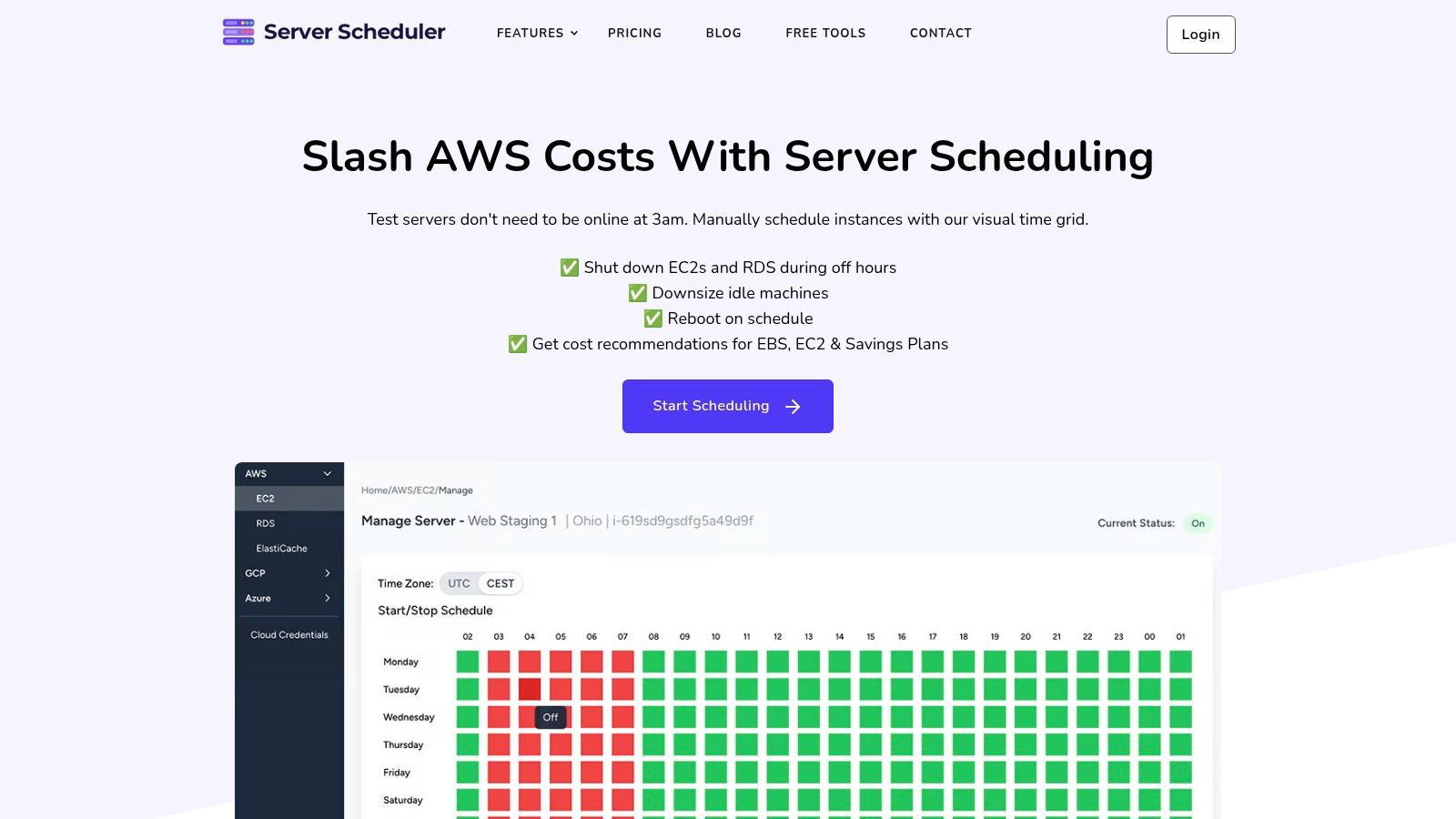
The drag-and-drop scheduling workflow keeps the policy visible to engineers and finance. Google Cloud and Azure coverage is rolling out for teams moving toward multi-cloud operations.
Building Your Cloud Spend Management Practice
Use the first month to establish a baseline, identify idle and oversized resources, schedule non-production environments, and assign owners through tags. Then review the largest spend categories, clean up orphaned storage, and buy commitments only against the resulting baseline.
AI experiments and new deployments will keep changing the curve, so cloud spend management needs a recurring review cadence rather than an end date. Early scheduling and rightsizing results give platform teams the evidence and political capital to enforce deeper governance.
Related articles
Server Scheduler lets AWS teams schedule and resize EC2, RDS, and ElastiCache resources through a visual time grid with audit logs for governance. Visit Server Scheduler to connect an account and turn your first non-production cost policy into reliable automation.