Your Guide to AWS Load Balancer Pricing and Cost Control
Figuring out the true cost of an AWS load balancer isn't as straightforward as looking up an hourly rate. The price you actually pay is a combination of a fixed hourly charge just for having the load balancer online and a variable usage cost that changes with the traffic it handles. Think of it like your home electricity bill. You pay a small service fee just to stay connected to the grid, but the biggest part of your bill depends on how much power your appliances actually use.
Struggling to control unpredictable AWS costs? Discover the top AWS cost management best practices that can make an immediate impact on your monthly bill.
Contents
Ready to Slash Your AWS Costs?
Stop paying for idle resources. Server Scheduler automatically turns off your non-production servers when you're not using them.
Decoding Your AWS Load Balancer Bill
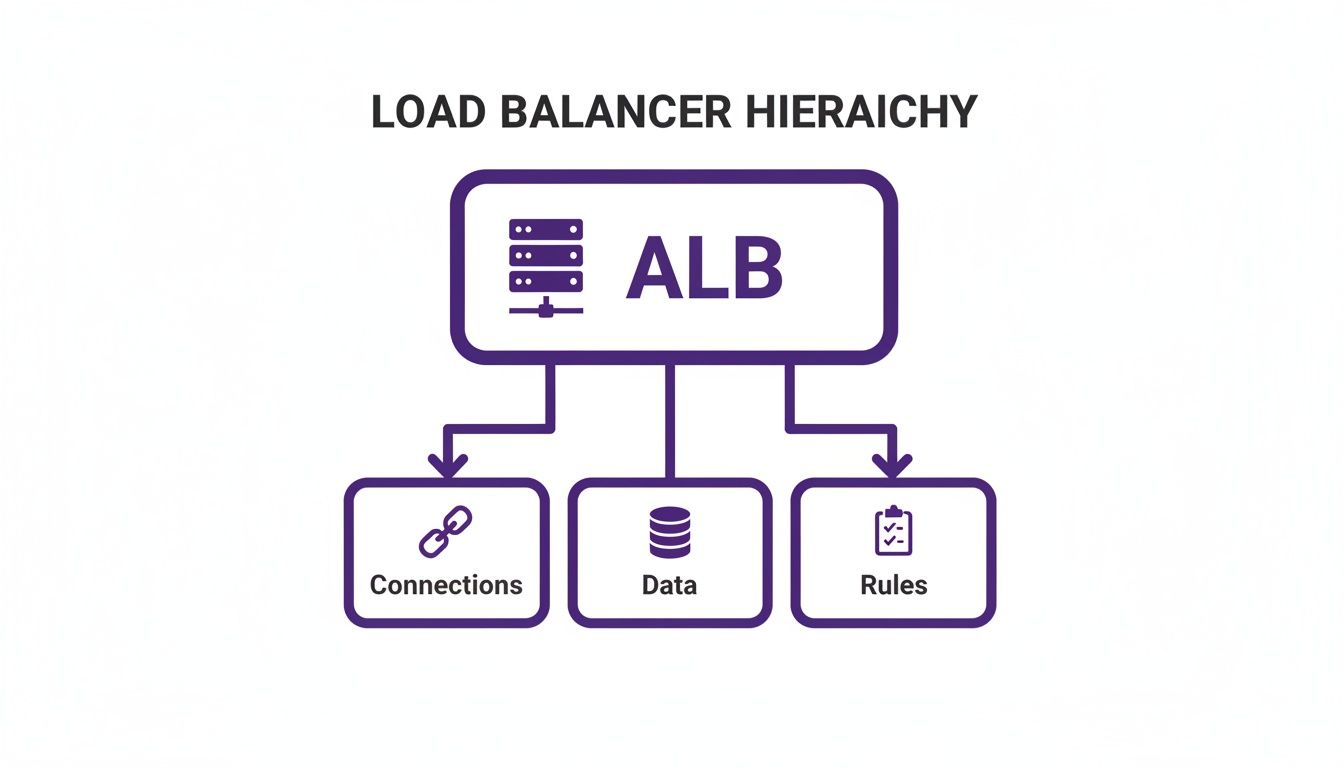
Trying to make sense of an AWS bill can feel like cracking a secret code. But when it comes to load balancers, the pricing really just boils down to a few key ideas. To get a real handle on your costs, you have to look past the simple hourly fee and understand the usage-based metrics that drive most of the expense. This is where things get interesting. AWS created a special unit of measurement to quantify your load balancer's workload. For the most common type, the Application Load Balancer (ALB), this metric is the Load Balancer Capacity Unit, or LCU. An LCU isn't just one thing; it's a composite unit that acts like a utility meter, tracking four different dimensions of traffic all at once.
Getting familiar with these four dimensions is the first step to seeing where your money is really going. Each one represents a different kind of work your load balancer is doing. The first is New Connections, which is the rate of brand-new connections coming in per second. Next is Active Connections, which tracks the total number of simultaneous connections per minute. The third dimension is Processed Bytes, measuring the amount of data your load balancer pushes to and from your target instances. Finally, Rule Evaluations count the number of routing rules your load balancer processes every second. AWS calculates your LCU usage based on whichever of these four dimensions is the highest in any given hour. You don't pay for all four added up; you only pay for the peak one.
| Load Balancer Type | Fixed Cost Component | Variable Cost Component |
|---|---|---|
| Application Load Balancer (ALB) | Per hour | Load Balancer Capacity Units (LCUs) |
| Network Load Balancer (NLB) | Per hour | Network Load Balancer Capacity Units (NLCUs) & Data Processed |
| Gateway Load Balancer (GWLB) | Per hour | Gateway Load Balancer Capacity Units (GLCUs) & Data Processed |
| Classic Load Balancer (CLB) | Per hour | Data Processed (GB) |
Let's walk through how this works in practice. Imagine you’re running a small web application with an Application Load Balancer. The traffic is steady but not overwhelming. Just for keeping that ALB running 24/7, you'll pay a base rate of $0.0225 per hour. Over a typical 730-hour month, that's about $16.43 just to have it provisioned. But that's only half the story. The real costs show up with LCUs. For a low-traffic site that consumes about 1 LCU per hour, you’d be charged an extra $0.008 per LCU-hour. That adds another $5.84 to your monthly bill, bringing your grand total to roughly $22.27. This simple example shows that while the hourly fee is predictable, your actual usage—measured in LCUs—is what really shapes the final cost. Other load balancer types follow a similar pattern. The Network Load Balancer (NLB) uses its own unit, NLCUs, which are more focused on TCP connections. The older Classic Load Balancer (CLB) has a much simpler model based mostly on data processed. Once you understand these core billing units, you can finally read your bill with confidence and start spotting exactly where you can optimize for savings.
Comparing Pricing Models Across Load Balancer Types
Picking the right AWS load balancer isn't just an architectural choice—it’s a financial one that will show up on your monthly cloud bill. On the surface, different load balancers might look like they do the same job, but their pricing models are built for very specific traffic patterns. What’s cost-effective for one workload can get surprisingly expensive for another. You really have to dig into the details to find the sweet spot between performance and budget.
The Application Load Balancer (ALB) has a two-part pricing model: a fixed hourly rate plus a variable usage cost based on something called Load Balancer Capacity Units (LCUs). Think of an LCU as a measurement of the heaviest lift your ALB has to do in an hour. It looks at four different things: new connections per second, active connections per minute, how much data it processes (in GB), and how many rules it has to evaluate. Your bill isn't based on all four combined; instead, AWS charges you for whichever of those four dimensions was the highest in any given hour. This makes ALB costs really sensitive to the kind of traffic you're handling. For a media-heavy site serving huge images or videos, your bill will likely be driven by the processed bytes dimension. But for an API gateway that’s juggling thousands of tiny, rapid-fire requests with complex routing, the cost driver will probably be new connections and rule evaluations.
Network Load Balancers (NLBs) are built for raw speed and low latency, making them the go-to for high-throughput jobs like real-time gaming backends or streams of IoT data. Naturally, their pricing model is all about connection handling. Just like ALBs, you pay an hourly charge, but the variable part is based on Network Load Balancer Capacity Units (NLCUs). NLCUs mainly care about new TCP/TLS connections and active flows. This means an NLB’s cost shoots up with the rate of new, long-lived connections being established. For example, an NLB is billed at $0.0225 per hour (around $16.43 a month), plus $0.006 per NLCU-hour. If your mobile app creates 100 new TCP and 100 new TLS connections every second, with each lasting three minutes, your NLCU fees in US-East would come to $0.0289 per hour, or about $20.86 per month. Double those connections, and you double the NLCU fees.
The Gateway Load Balancer (GWLB) has a very specific job: deploying and managing third-party virtual network appliances like firewalls or intrusion detection systems. Its pricing looks a lot like the NLB's, with a fixed hourly rate plus a variable fee based on Gateway Load Balancer Capacity Units (GLCUs) and data processing. A GLCU tracks new connections, active connections, and processed data. The whole model is designed to scale with the demands of security and network inspection, where both data volume and connection counts matter. The bottom line? GWLB costs are tied directly to the performance of the security tools it's managing.
Uncovering the Hidden Costs of Load Balancing
The prices on the official AWS page only tell part of the story. If you’re just looking at the hourly rate and LCU costs, you're missing some of the biggest factors that can inflate your load balancer bill. Think of them as the "hidden fees" of cloud infrastructure. Several associated costs—from data transfer to integrated services—can creep up on you if you're not paying close attention. By looking at the complete picture, you can build a more accurate budget and design a smarter, more cost-effective architecture from day one.
One of the sneakiest and most significant hidden costs is cross-Availability Zone (AZ) data transfer. Building for high availability across multiple AZs is an absolute best practice, but it comes with a direct financial trade-off. Every time your load balancer in AZ-A sends traffic to a backend instance in AZ-B, AWS charges for the data that crosses that boundary. You pay $0.01 per GB for the data sent and another $0.01 per GB for the data returned. For a low-traffic app, this is pocket change. For an application with heavy traffic, these tiny charges can snowball into a massive expense.
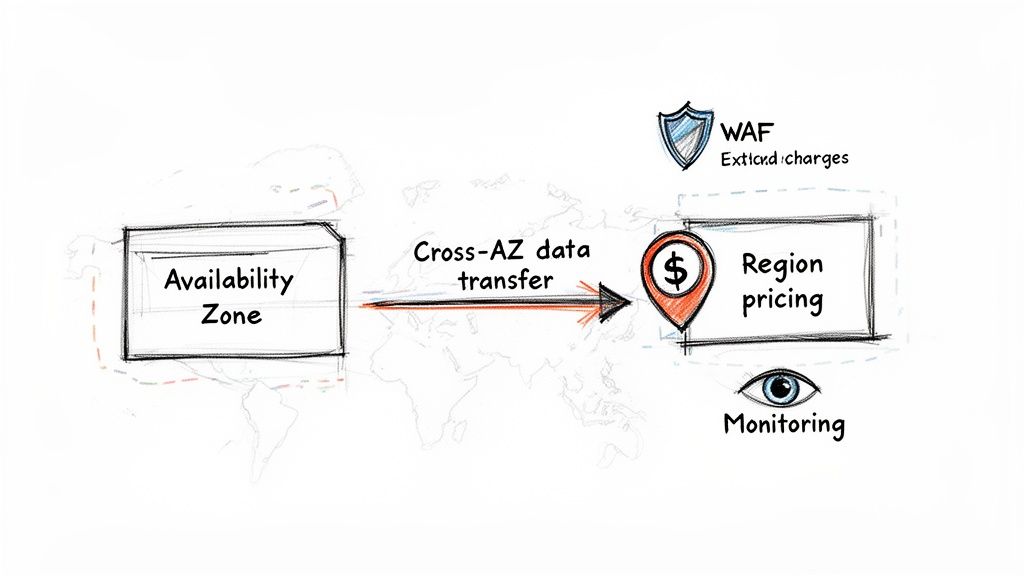
Another factor that quietly impacts your bottom line is where you run your workload. The exact same load balancer configuration will cost you more in some AWS regions than in others. For instance, the per-hour and LCU costs in a region like São Paulo are consistently higher than in a major hub like US East (N. Virginia). Beyond regional rates, the costs of services you integrate with your load balancer also stack up. Tools like AWS WAF, AWS Certificate Manager for private certificates, and detailed Amazon CloudWatch monitoring add critical functionality but all have their own price tags. By accounting for data transfer, regional price variations, and all the attached services, you can paint a much more realistic picture of your true aws load balancer pricing and avoid those nasty month-end surprises.
Automating Cost Control for Your Development Environments
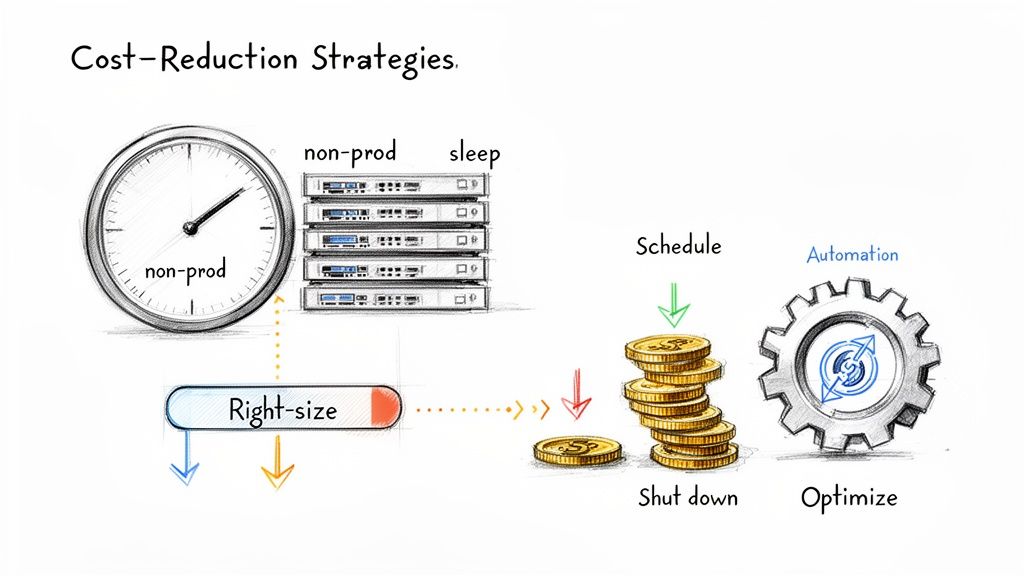
Trying to manually optimize every single cloud resource is a battle you’ll eventually lose. It’s a painfully slow process, wide open to human error, and it pulls your best engineers away from building features that actually matter to the business. This kind of reactive cost management is exactly why so many companies get blindsided by cloud bills, especially from non-production environments left running 24/7. The only way to win this fight at scale is with automation. By automatically shutting down non-production environments—often the single biggest source of waste—you can systematically wipe out idle spending without needing someone to click a button.
Development, staging, QA, and testing environments are notorious cost sinks. They’re critical during business hours but often sit completely idle overnight and on weekends—sometimes for more than 100 hours a week. Leaving them running is like keeping the lights on in an empty office building all night. This is where scheduling becomes a total game-changer. By setting up simple, reliable start/stop schedules for the EC2 instances behind your load balancers, you can stop paying for compute power when nobody is even using it. Automating shutdowns for non-production environments is one of the highest-impact, lowest-effort cost optimization moves you can make.
Sure, you could try to build your own solution with scripts and cron jobs, but this approach often creates more headaches than it solves. Custom scripts are brittle, demand constant maintenance, and don't give you the visibility needed to manage schedules across multiple teams and accounts. This is precisely why dedicated automation tools are so effective. They give you a centralized, easy-to-use interface for managing schedules without writing a single line of code. Choosing a dedicated scheduling tool over a homegrown script offers tons of advantages. You gain simplicity through a visual interface, reliability from robust error handling, scalability across multiple accounts, and reduced engineering overhead, giving your developers valuable time back. At the end of the day, implementing automated scheduling is a direct investment in your operational efficiency and financial discipline.
Frequently Asked questions About AWS Load Balancer Pricing
Figuring out AWS load balancer pricing can feel like a maze for both engineering and finance teams. Getting the details right is key to making smart architecture choices and keeping your cloud budget in check. Let's clear up some of the most common questions.
A common myth is that the load balancer itself is the main cost. While every Elastic Load Balancer (ELB) has a fixed hourly charge just for existing, this is almost never the biggest slice of the pie. For most setups, the variable usage costs—like Load Balancer Capacity Units (LCUs)—and the EC2 instances humming away in the background will dwarf the load balancer's base fee. Your traffic volume and the size of your server fleet are the true drivers of your total AWS cost.
Flipping on cross-zone load balancing is a fantastic move for high availability, but it comes with a direct hit to your bill. When traffic hops across an AZ boundary, AWS dings you with a data transfer fee of $0.01 per GB each way. This sounds tiny, but for high-traffic applications, it can balloon into a significant monthly expense.
You can't really "stop" an Elastic Load Balancer like you can an EC2 instance. It’s either running and billing you by the hour, or it's deleted. The best way to save money, especially in non-production environments, is to shut down the backend EC2 instances on a schedule. The load balancer’s small hourly fee will keep ticking, but the savings from powering down the much pricier compute instances are massive.
Picking the right tool for the job is everything for both performance and cost. An Application Load Balancer (ALB) is your go-to for web apps and microservices needing HTTP/HTTPS features. A Network Load Balancer (NLB) is a Layer 4 beast, designed for raw TCP/UDP speed and low latency. Using an ALB for simple TCP routing is just burning money. Finally, it's critical to remember that pricing varies wildly between AWS Regions. The hourly rates and LCU costs can be much higher in some locations. Always check the specific pricing for your target region before deploying.