AWS Service for Cost Optimization: 10 Tools Compared
Buying discounts first is often the wrong move. The best AWS service for cost optimization depends on whether you need to find waste, resize compute, eliminate idle hours, purchase commitments, or assign ownership. A discounted development instance still costs money when nobody needs it. Treat tools as complementary controls, not interchangeable savings engines.
Start with an idle-resource review, then test a reversible schedule before buying more commitments.
1. Server Scheduler
Server Scheduler suits teams that want visual execution rather than another dashboard. Its point-and-click interface schedules EC2 and RDS start/stop operations, resizing, and supported compute, database, and cache reboots without scripts, cron jobs, or Terraform.
Localized time zones, custom schedules, and audit logs help coordinate maintenance. Recommendations also flag unattached EBS volumes, oversized EC2 instances, and Savings Plans opportunities.
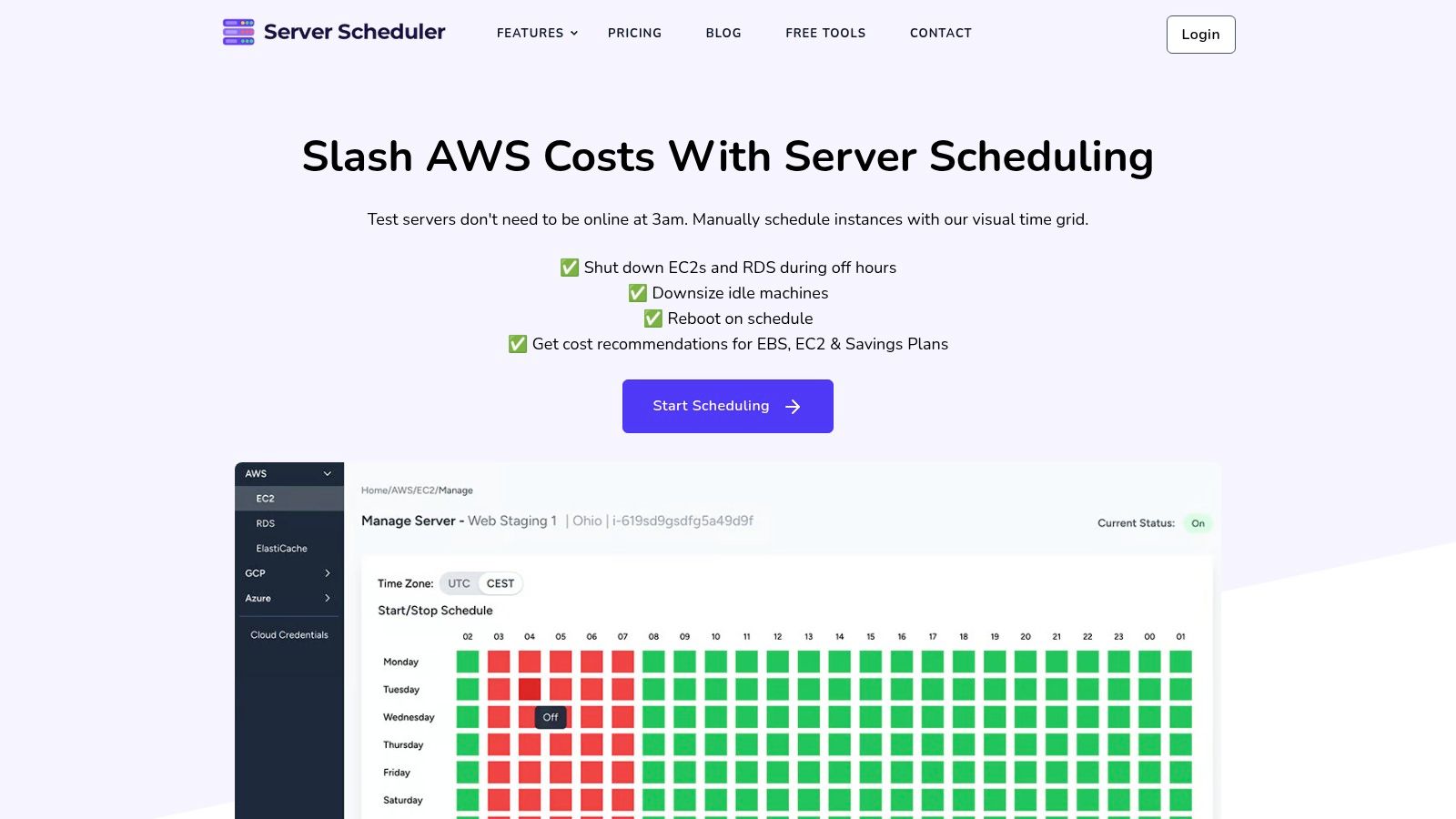
Published monthly pricing is €49 for Standard, covering one cloud account and two users, or €99 for Advanced, covering multiple clouds/accounts and ten users; both include all scheduling features, with basic or priority support respectively, according to Server Scheduler's published plans.
Trade-off: AWS is supported today; Google Cloud and Azure are coming soon. Advertised savings of up to 70% aren't guaranteed, and the website supplies no testimonials, awards, or certifications substantiating that claim.
2. AWS Cost Optimization Hub
For a prioritized AWS backlog, AWS Cost Optimization Hub consolidates recommendations across accounts and Regions, including rightsizing, idle-resource cleanup, and commitments. It accounts for relevant pricing and discounts when estimating savings.
Best fit: centralized opportunity review. Engineers still need to validate and execute changes, so connect recommendations to a cloud spend management workflow, with owners and implementation records, rather than treating potential savings as realized savings.
3. AWS Compute Optimizer
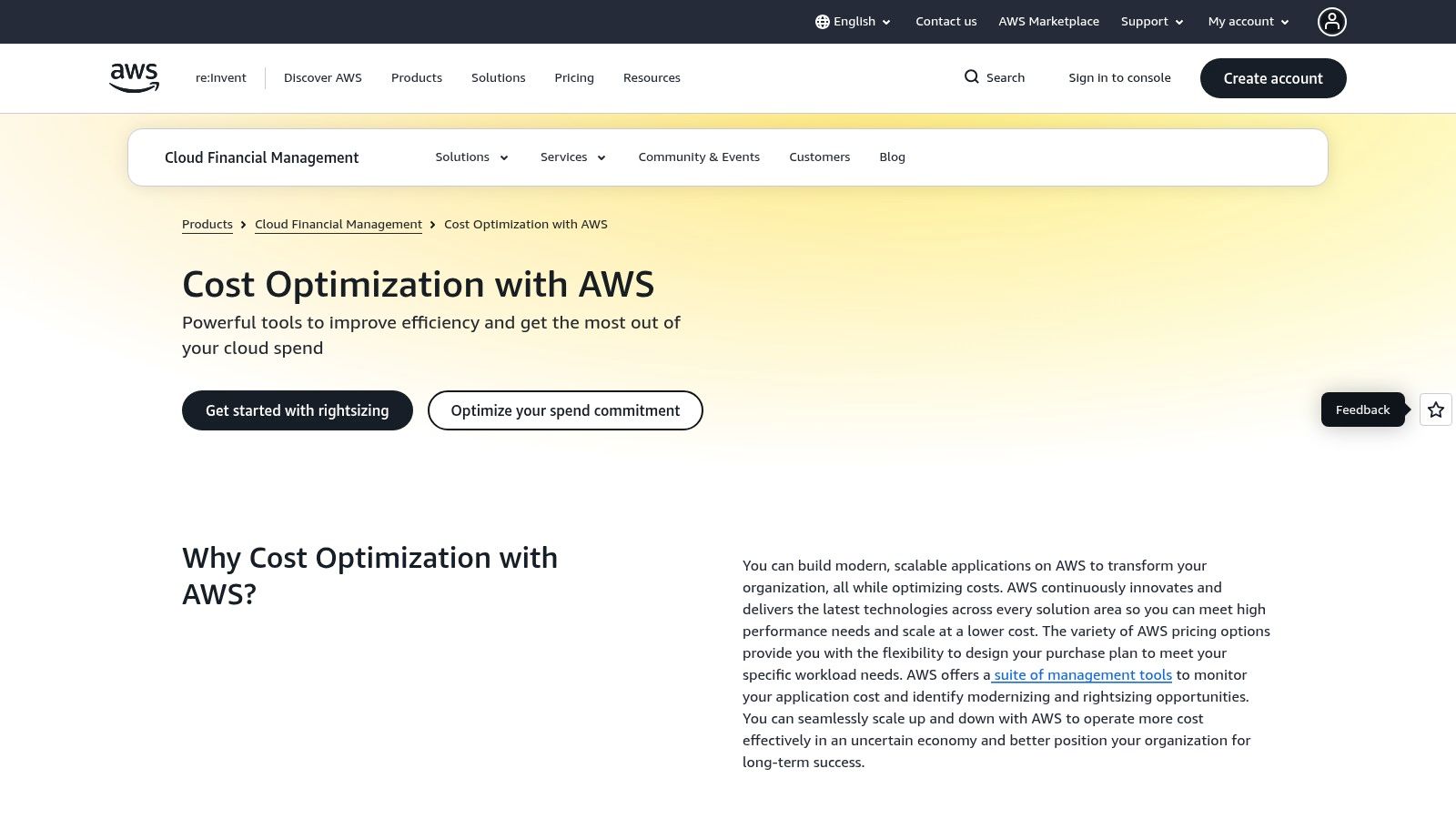
An undersized database can be more expensive operationally than an oversized one. AWS Compute Optimizer analyzes historical utilization to recommend configurations for supported resources, including EC2 and RDS.
Use it for rightsizing, not scheduled shutdowns. Recommendations depend on representative metrics; validate peak demand, memory pressure, and application behavior before applying an EC2 rightsizing change.
A quiet observation window isn't proof that a smaller instance can handle your next workload peak.
4. Instance Scheduler on AWS
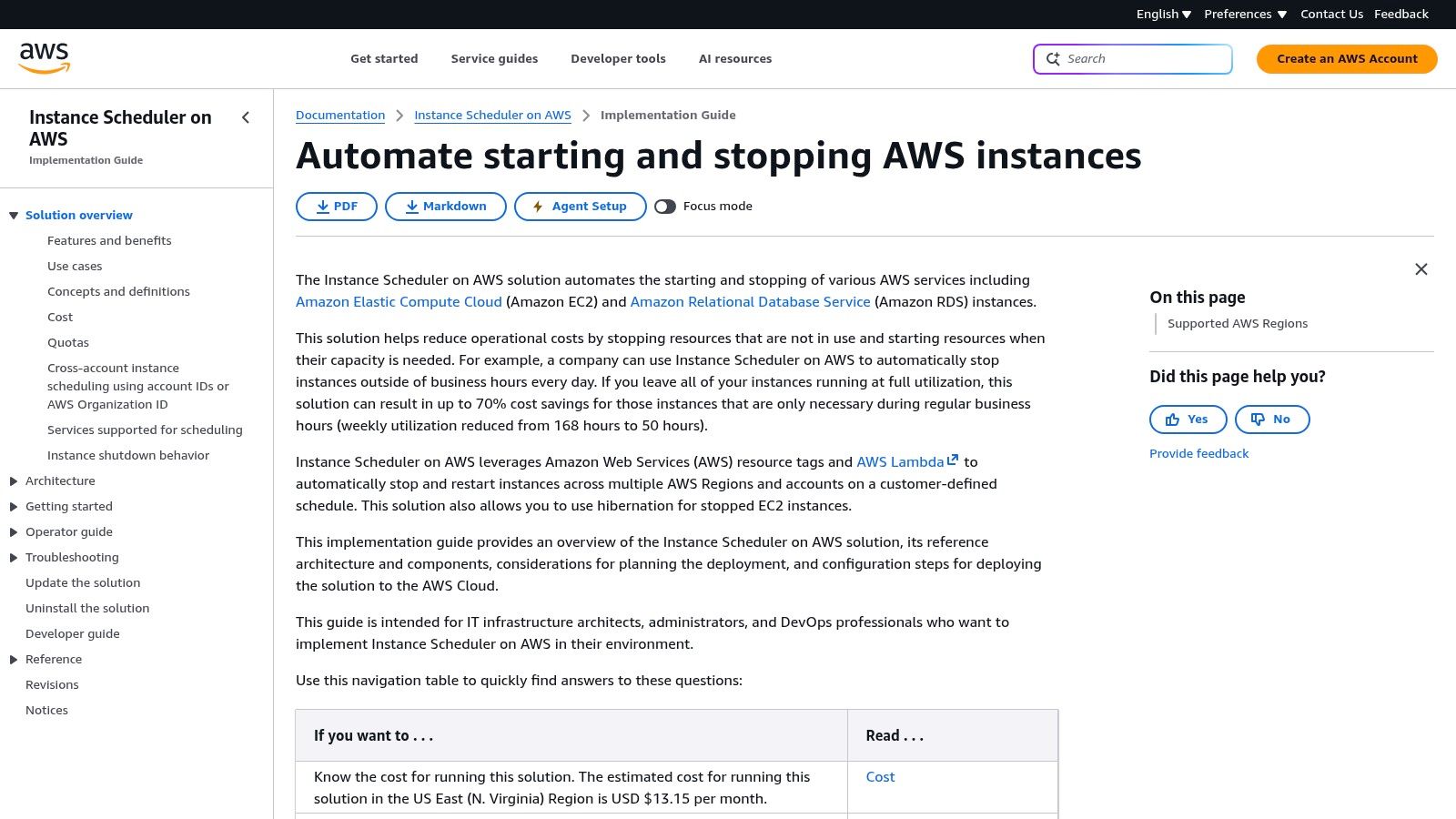
Teams comfortable maintaining AWS infrastructure can choose Instance Scheduler on AWS. This AWS-published solution uses tags and supporting components to schedule supported EC2 and RDS instances across accounts and Regions.
Its flexibility comes with deployment and administration work, unlike a visual scheduling grid. When planning how to reduce AWS costs, separate avoidable compute runtime from storage and attached-resource charges that remain.
 5. IBM Cloudability
When finance asks which team owns spending, a shutdown schedule isn't enough. IBM Cloudability supports allocation, reporting, forecasting, rightsizing, and commitment planning, with an MSP option for customer reporting and billing.
Strength: organizational accountability across cloud teams. Limitation: sales-led pricing and allocation setup make it broader than a narrow automation purchase; compare that governance need with cloud scheduling software before selecting either category.
6. CloudZero
CloudZero fits engineering organizations investigating cost per product, customer, or transaction. Custom cost dimensions, exploration, forecasts, budgets, anomaly detection, and optimization recommendations connect infrastructure spending with business decisions across supported cloud and software sources.
Its advantage is attribution beyond perfectly maintained tags. Its limitation is operational: cost intelligence doesn't replace scheduled start/stop execution, and quote-based pricing requires a commercial evaluation.
7. ProsperOps
Commitment management requires a different control loop from scheduling. ProsperOps automates Savings Plans and Reserved Instance management, monitors usage changes, and offers a free savings analysis; AWS Compute ADM customers also have scheduling features.
Evaluate commitment exposure and contract terms, not just projected discounts. Savings-share pricing aligns fees with realized savings but can be harder to forecast than a fixed subscription.
Reduce predictable idle usage before setting the commitment baseline. Otherwise, you risk paying for demand you intentionally removed.
8. Vantage
For accessible multi-provider reporting, Vantage combines cost analysis, alerts, virtual tagging, and publicly listed plans. Its free Starter option provides an entry point, while specified paid plans include Autopilot for AWS Savings Plans.
Check plan boundaries: spend, user, and feature limits affect suitability. Reporting and commitment automation won't replace an operational scheduler, and larger environments may require an enterprise conversation.
9. CloudHealth
Multi-account enterprises and managed service providers should evaluate CloudHealth for reporting, forecasting, allocation, governance policies, and optimization workflows. Partner capabilities address customer reporting and billing alongside AWS rightsizing and commitment planning.
The trade-off is administration: useful policies and allocation structures need configuration and ownership. Pricing generally requires contacting the provider, and the platform isn't a simple schedule-grid replacement for routine resource operations.
10. AWS Cost Explorer
Start an investigation with AWS Cost Explorer, not an automation purchase. Filtering, grouping, forecasts, and commitment recommendations help establish where spending changes originate.
Best fit: baseline visibility and trend investigation. It doesn't routinely stop or resize resources; use an AWS bill breakdown explainer to interpret charges before assigning remediation work.
AWS Cost Optimization Tools: Top 10 Comparison Matrix
| Solution | Core capabilities | UX / operational fit | Value / pricing | Best suited for | Standout |
|---|---|---|---|---|---|
| 🏆 Server Scheduler | Visual schedules for AWS start/stop, resize, and reboot; cost recommendations | ★ No-code time grid, time zones, custom schedules, and audit logs | 💰 From €49/month; up to 70% savings potential, not guaranteed | 👥 AWS teams automating off-hours operations | ✨ Scheduling without scripts, cron jobs, or Terraform |
| AWS Cost Optimization Hub | Consolidates rightsizing, idle-resource, and commitment recommendations | ★ AWS console and API; teams review and apply changes | 💰 AWS-native; no separate third-party platform required | 👥 AWS teams prioritizing cost-saving opportunities | ✨ Cross-account and Region recommendations |
| AWS Compute Optimizer | Usage-based rightsizing and idle-resource recommendations | ★ Useful for configuration decisions; recommendations depend on representative metrics | 💰 Default recommendations available without an additional service charge | 👥 Engineers tuning AWS resource sizes | ✨ Recommendations informed by historical utilization |
| Instance Scheduler on AWS | Scheduled start/stop for tagged EC2 and RDS instances | ★ Flexible, but requires deployment, tagging, and administration | 💰 AWS solution; supporting infrastructure may add costs | 👥 AWS teams comfortable managing a configured solution | ✨ Multi-account schedules and options such as hibernation |
| IBM Cloudability | Cost allocation, reporting, forecasting, and optimization | ★ Broad FinOps workflows; setup takes time | 💰 Sales-led pricing; not publicly listed | 👥 Finance, engineering, and MSP teams | ✨ Cost ownership and customer reporting |
| CloudZero | Cost intelligence, budgets, forecasts, and anomaly detection | ★ Connects spend to products, teams, and customers | 💰 Quote-based pricing | 👥 Teams tracking product costs and unit economics | ✨ Cost views by business dimensions |
| ProsperOps | Automated AWS Savings Plans and Reserved Instance management | ★ Automates commitment strategies as usage changes | 💰 Savings-share pricing for ADM | 👥 Organizations managing eligible AWS commitment spend | ✨ Autonomous discount management |
| Vantage | Multi-provider cost reporting, alerts, and Savings Plans automation | ★ Accessible cost visibility with plan limits | 💰 Free Starter plan; paid plans available | 👥 Teams seeking cost reporting across providers | ✨ Public plans and AWS Savings Plans Autopilot |
| CloudHealth | Cost reporting, forecasting, governance, and optimization workflows | ★ Broad capabilities may require setup and administration | 💰 Pricing typically requires contacting the provider | 👥 Large or multi-cloud organizations and MSPs | ✨ Cost governance and partner reporting |
| AWS Cost Explorer | AWS spend visualization, forecasts, and commitment recommendations | ★ Useful for investigating costs; not an operations scheduler | 💰 AWS-native cost analysis tool | 👥 AWS teams reviewing spend trends | ✨ Filters and grouping for cost and usage analysis |
Build a Cost-Control Stack That Fits
Begin with Cost Explorer and Cost Optimization Hub for visibility, then Compute Optimizer for sizing. Add Savings Plans or ProsperOps for stable commitments, and Instance Scheduler or Server Scheduler for validated idle windows.
Measure avoided runtime, restart success, exceptions, and actual billing changes. Stage implementation, validate dependencies, and pair third-party scheduling with native intelligence rather than expecting a complete FinOps strategy from one tool.
Related articles: Broaden planning with cloud cost optimization strategies for 2026. Migration teams should separately consider ITAD services for cloud migrations when retiring physical infrastructure.
Server Scheduler offers visual start/stop, resize, and reboot scheduling for AWS resources. Use it to turn validated cost opportunities into repeatable operating schedules, starting with a non-production environment and reviewing results before expanding.