Date and Time Stamps A Guide for Cloud Operations
A date and time stamp is a digital footprint marking the exact moment something happened. Think of it like a postmark on a letter—it's an authoritative, computer-readable record attached to a file, log, or transaction. This simple piece of data is the key to sequencing events, auditing actions, and making sense of complex automated systems.
Ready to stop wasting money on idle cloud resources? Server Scheduler helps you automate start and stop times for your servers, cutting cloud bills by up to 70%. Start your free trial today and see the savings.
Contents
- Why Precise Timestamps Are Critical in Cloud Automation
- Decoding the Universal Languages of Time
- Solving the Time Zone and Daylight Saving Puzzle
- Using Timestamps for Bulletproof Logging and Auditing
- Putting Timestamps to Work for Cloud Cost Savings
- Common Questions About Date and Time Stamps Answered
Ready to Slash Your AWS Costs?
Stop paying for idle resources. Server Scheduler automatically turns off your non-production servers when you're not using them.
Why Precise Timestamps Are Critical in Cloud Automation
Imagine trying to lead a global orchestra where every musician's watch is set to a different time. The result would be total chaos. This is exactly what happens in cloud operations when you don't have accurate date and time stamps. They are the silent conductors of modern infrastructure, ensuring every automated action happens in perfect sync. This isn't just a nerdy detail; it's a core competency for any serious DevOps or FinOps team. Whether you're spinning up a server in Dublin or resizing a database in Tokyo, getting the timing right has a direct impact on your bottom line and system reliability.
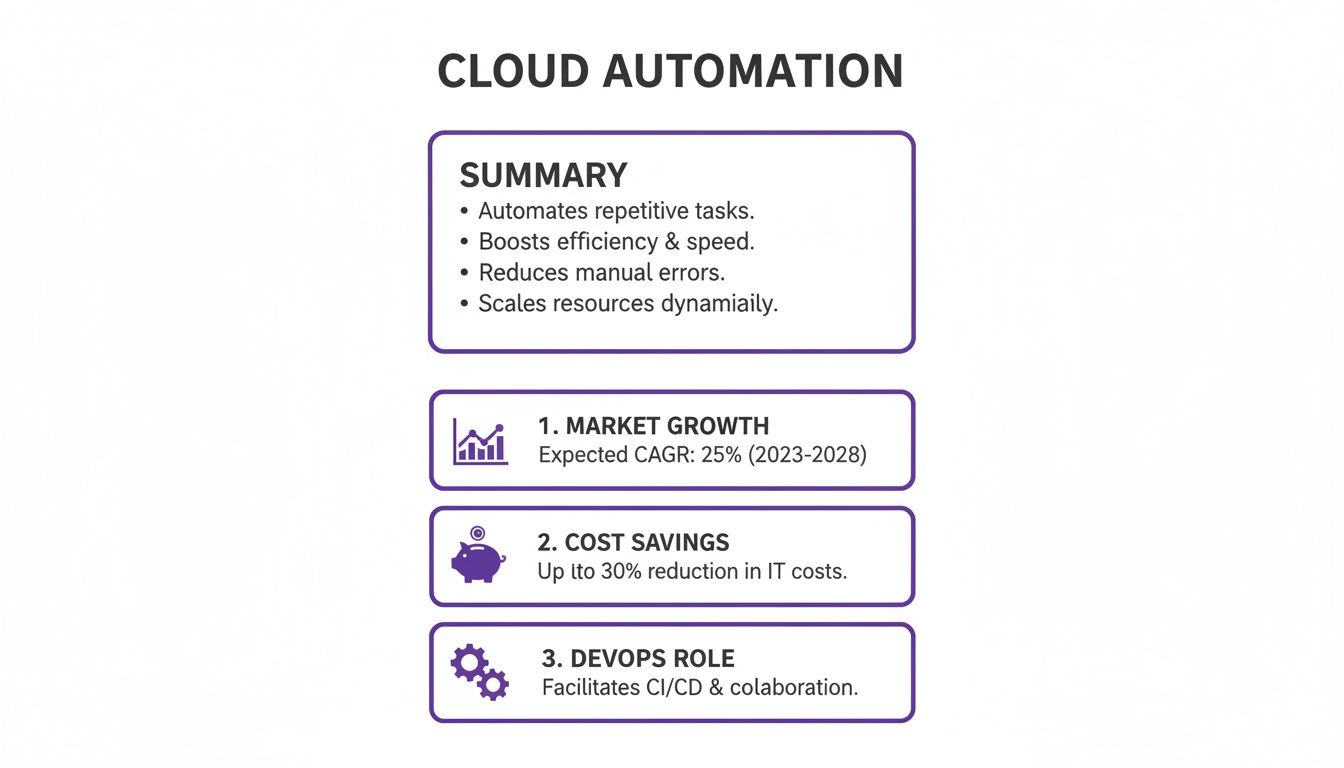
The entire world of automated scheduling—and the massive cost savings it brings—is built on standardized timestamps. They're the backbone of modern workload scheduling, a market projected to hit $3.6 billion by 2026 with a steady 10.1% growth rate. It’s no surprise, especially when 40% of enterprises report at least a 25% cost reduction from this kind of automation. This financial impact is exactly why platform engineers are leaning so heavily on visual scheduling grids and other powerful cloud infrastructure automation tools to get a handle on their resources.
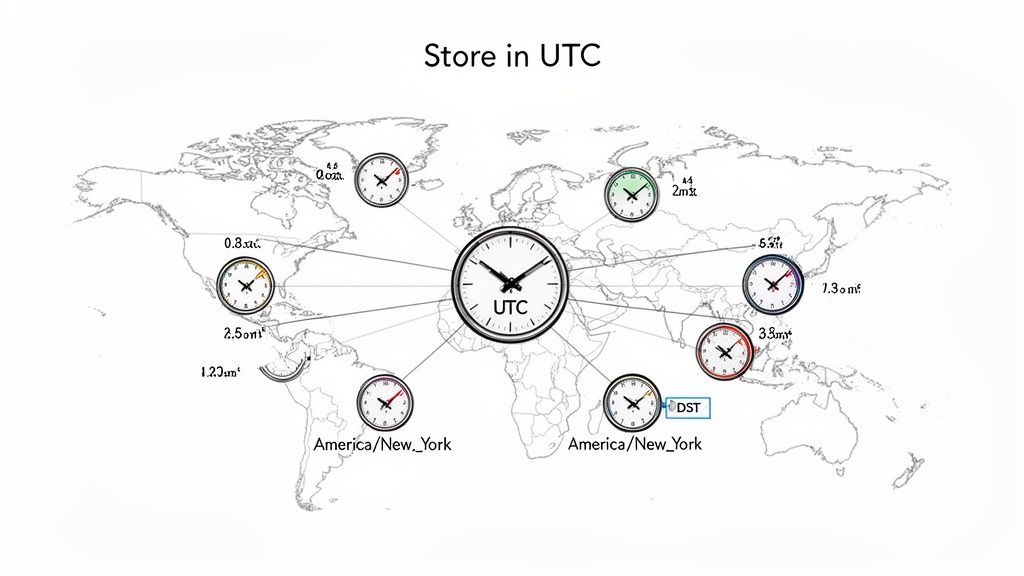
One of the biggest headaches with timestamps is managing a global footprint. When your teams and systems are spread across different continents, you absolutely need a universal time reference to coordinate anything effectively.
This map is a perfect illustration of why relying on "local time" is a recipe for disaster in cloud automation. It’s a direct path to miscalculations, failed jobs, and late-night troubleshooting sessions. When it comes to compliance and disaster recovery, this level of precision isn't optional. Metrics like the Recovery Point Objective (RPO) hinge on knowing exactly when data was last backed up. It's all about timestamps. Getting them right helps you build resilient, cost-effective systems that just work.
Decoding the Universal Languages of Time
To keep distributed systems from descending into chaos, they need a shared language for time—a kind of universal translator ensuring a date and time stamp from one service is perfectly understood by another. This section breaks down the key formats that bring order to automated workflows and prevent the kind of bugs that keep engineers up at night. Getting these standards right is the first step to building reliable, predictable systems. The undisputed champion for APIs, log files, and just about any modern system is ISO 8601. Its clear, logical structure was designed to be both human-readable and dead simple for machines to parse. Its format, YYYY-MM-DDTHH:MM:SSZ, tells a complete story at a glance. The T neatly separates the date from the time, while the Z at the end signifies "Zulu time"—another name for UTC.
Callout: By standardizing on an unambiguous format like ISO 8601, engineering teams can wipe out an entire class of painful time-interpretation errors. It's a simple decision that pays huge dividends in system reliability and cuts down debugging time.
Another major player is Unix time, often called epoch time. Unlike the descriptive string of ISO 8601, a Unix timestamp is just a big integer—the number of seconds that have ticked by since midnight UTC on January 1, 1970. This raw efficiency makes it incredibly useful for systems that need to perform calculations with time. For instance, finding the duration between two events is as simple as subtracting one Unix timestamp from another. This simplicity is its greatest strength, making it a favorite for database storage and performance-critical applications. The big trade-off? It’s completely unreadable to humans without a converter.
Picking the right format comes down to what you’re trying to do. Sometimes, a seemingly small decision, like choosing the wrong format, can lead to much larger problems. For teams troubleshooting automation, similar small oversights can be the reason a crontab is not working as expected.
| Format Standard | Example | Key Characteristics | Primary Use Case |
|---|---|---|---|
| ISO 8601 | 2024-07-31T17:46:01Z |
Human-readable, unambiguous, and includes timezone information (UTC with 'Z'). | APIs, log files, data interchange between systems, and configuration files. |
| Unix Time (Epoch) | 1722447961 |
A simple integer representing seconds since 1970-01-01. Computationally efficient. | Database storage, performance-sensitive calculations, and internal system tracking. |
| RFC 2822 | Wed, 31 Jul 2024 17:46:01 GMT |
A text-based format commonly seen in email headers and HTTP responses. | Internet standards for email and web protocols. Less common in modern APIs. |
Solving the Time Zone and Daylight Saving Puzzle
Time zones and Daylight Saving Time (DST) are the twin villains of timestamp management. If you’ve ever built software, you know they’re responsible for countless bugs and late-night operational headaches. They introduce a moving target that can derail even the most carefully planned automations. But the solution is remarkably simple: treat Coordinated Universal Time (UTC) as your single source of truth for all backend operations. This strategy isn't just a recommendation; it’s the golden rule for building resilient, predictable systems. Storing local time is a trap. Just imagine scheduling a critical server shutdown for 2:15 AM on a Sunday in a region that observes DST. When the clocks "fall back," 1:30 AM happens twice. That little bit of ambiguity can cause automated jobs to run twice or not at all, creating chaos.
By handling all internal logic, database storage, and calculations in UTC, you create a stable, unambiguous timeline. The beauty of UTC is that it doesn't observe daylight saving, making it the perfect, unwavering reference point for any system. When you absolutely must deal with local times, it's vital to know the difference between a simple offset and a proper IANA time zone. An Offset is just a static difference from UTC, like -05:00. An IANA Time Zone name like America/New_York is much more powerful. It’s a rich identifier containing the complete history and future rules for that region, including every DST change.
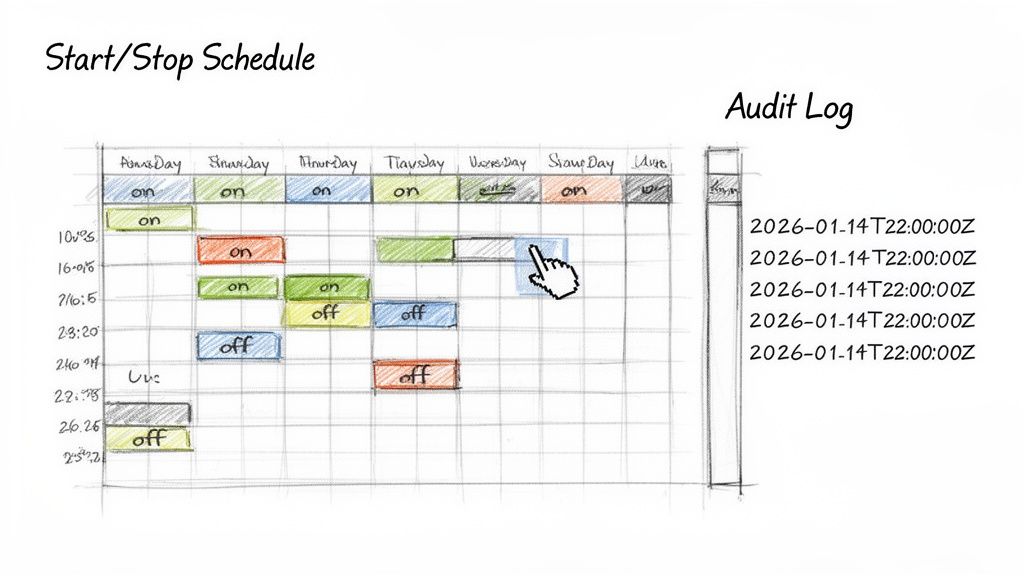
This "UTC-first" approach is essential for tools that automate cloud infrastructure. Let’s say you want to schedule a server to shut down every weekday at 6:00 PM local time. The system has to get the time zone right. A platform like Server Scheduler lets users define schedules in their own local time, but it translates those rules into UTC on the backend for execution.
Behind the scenes, the system converts these visual blocks into UTC-based commands. This guarantees the EC2 instance stops at the right moment, whether it's summer or winter. This blend—a local time interface for the user and a UTC core for the backend—is the key to building a tool that's both intuitive and bulletproof for global teams. To see this in action, check out our guide on how to schedule EC2 instance start and stop times.
Using Timestamps for Bulletproof Logging and Auditing
In the world of operations, there's a simple, brutal truth: if an event isn't logged with a reliable date and time stamp, it might as well have never happened. Timestamps are the backbone of your system's memory, the hard evidence you need for security audits, incident response, and performance analysis. Without them, you're flying blind. Every single log entry must be anchored to a standardized, high-resolution UTC timestamp. This isn't a "nice-to-have"; it's a non-negotiable rule that turns a chaotic flood of data into a coherent story, letting you reconstruct event timelines with absolute certainty.
A great log entry is more than just a message; it’s a self-contained piece of evidence. And the timestamp is its most critical component. Vague timestamps like "yesterday" or those in ambiguous local time zones are completely useless for any serious auditing. By enforcing a solid structure, you create logs that are not only machine-readable but also immediately useful to any engineer who needs to investigate a problem. Modern applications are complex webs of microservices, each spewing its own stream of logs. A consistent, UTC-based timestamping strategy allows you to create a unified timeline of events. You can see exactly when a request hit the API gateway, when the auth service responded, and where the process ultimately broke down—all because every log entry speaks the same language of time.
Even with perfect formatting, your timestamps are worthless if the clocks on your servers are out of sync. A few seconds of "clock drift" between machines can completely scramble the sequence of events. This is where the Network Time Protocol (NTP) saves the day. NTP is a simple but powerful protocol designed to synchronize the clocks of computers over a network. By pointing all your servers to a reliable NTP source, you ensure their internal clocks stay aligned to within a few milliseconds of each other. This synchronization is the final, critical piece for creating a trustworthy audit trail. For a deeper look into system diagnostics, understanding Linux network traffic monitoring provides complementary insights into how data flows between these services.
Putting Timestamps to Work for Cloud Cost Savings
This is where the rubber meets the road. We've talked about standardized formats and time zones, and why date and time stamps are vital for logging. Now, let’s see how all those pieces come together inside a tool like Server Scheduler to deliver serious cloud cost savings. This kind of practical automation is exactly why the data center automation market report from Precedence Research shows it exploding to a projected $41.11 billion by 2035. Server automation alone makes up over 52% of that market because businesses need clean, reliable ways to power down environments during off-peak hours.
One of the biggest money pits in the cloud is non-production environments—think development, staging, and QA—that are left running 24/7. These servers are typically only needed for 40-50 hours a week, but you’re paying for all 168 hours. Instead of messing with complicated scripts, a visual scheduling tool turns your business hours into automated on/off switches. You can create a schedule to power down an entire staging environment every weeknight and weekend, instantly eliminating waste. This point-and-click method puts powerful cloud cost optimization strategies into the hands of everyone, not just senior DevOps engineers.
 Common Questions About Date and Time Stamps Answered
Working with date and time stamps feels like it should be simple, but it's an area where even seasoned engineers get tripped up. The nuances of time zones, formats, and storage can lead to some seriously painful bugs. Let's clear up a few of the most persistent questions with some direct, practical answers. If you only take one thing away from this guide, make it this: store all timestamps in Coordinated Universal Time (UTC) on your backend. No exceptions. Think of UTC as the stable, unambiguous "zero point" on the global clock. It doesn't care about Daylight Saving Time, making it the perfect universal reference.
The two most common formats are ISO 8601 and Unix timestamps, and they serve very different needs. ISO 8601 is a self-describing string format, like 2024-10-26T10:00:00Z. It's crystal clear, making it perfect for APIs, config files, and logs where clarity is king. A Unix timestamp, on the other hand, is just a big number—the seconds that have passed since January 1, 1970. It’s totally unreadable to us but incredibly efficient for computers, making it a beast for performance-critical database operations and calculations.
Dealing with users across the globe is where the UTC-first rule really shines. The best practice is a clean separation of duties: your server only knows UTC, while the client (the user's browser or app) handles all the conversions. This means your backend should always send timestamps to the frontend in UTC. The browser or mobile app then grabs that UTC time and, using the device's local settings, translates it into something that makes sense for the user. The backend stays blissfully ignorant of time zones and DST, keeping the logic clean and reliable.