A Guide to Database Replication Software in the Cloud
Think of database replication software as an intelligent, real-time photocopy machine for your data. It's a powerful tool that creates and continuously updates one or more live copies of a primary database, ensuring your applications stay online and performant. This dynamic strategy is all about resilience. It guarantees high availability by letting a replica take over instantly if the primary database goes down, and it boosts performance by offloading read-heavy queries to those copies.
Contents
Ready to Slash Your AWS Costs?
Stop paying for idle resources. Server Scheduler automatically turns off your non-production servers when you're not using them.
What Is Database Replication Software
Imagine your entire team relies on a single, critical document. If that document gets corrupted or the server hosting it goes offline, work grinds to a halt. Database replication software is designed to prevent exactly this kind of scenario. It doesn’t just take a static snapshot like a traditional backup. Instead, it maintains one or more live, synchronized copies—known as replicas—of your main primary database. This continuous, real-time synchronization is the secret sauce for building resilient, high-performing applications. The number one reason to use this software is to achieve high availability. If your main database server fails, your application can seamlessly failover to a replica, ensuring minimal downtime.
Another huge benefit is performance improvement through read scaling. You can direct demanding read queries—like those from analytics dashboards or reporting tools—to the replicas. This frees up the primary database to focus on handling critical write operations (inserts, updates, and deletes) without getting bogged down. The core idea is simple yet powerful: Don't put all your operational eggs in one basket. By distributing data across multiple locations, you build a system that can withstand failures and scale effectively as demand grows. This technology is a cornerstone of modern application architecture, and its importance is growing. The global Big Data Replication Software market is projected to jump from USD 4.5 billion to USD 12.3 billion by 2031. This growth is fueled by cloud-based solutions that give DevOps and FinOps teams the scalability and operational ease they need.
The core idea is simple yet powerful: Don't put all your operational eggs in one basket. By distributing data across multiple locations, you build a system that can withstand failures and scale effectively as demand grows.
To get the full picture, it helps to see where replication fits within the broader ecosystem of the modern data stack. It's the foundational layer that powers data movement and availability, working hand-in-hand with tools for storage, transformation, and analytics. Implementing a solid replication strategy is a key part of automated infrastructure management. It allows teams to build resilient systems that require far less manual intervention, creating a stable and scalable environment where your applications can thrive.
Understanding Core Replication Architectures
Before you can pick the right database replication software, you must understand the underlying structure. The architecture, often called a topology, is the road map that defines how data moves between your main database and its copies. This isn't a minor technical detail—it's a foundational choice that impacts everything from performance and resilience to daily management. The most common and easiest-to-understand setup is the primary-replica model. A single source of truth—one central database where every "write" happens—is your primary. Then, you have one or more replicas that are exact, continuously updated copies, handling all the "read" requests. This model is a lifesaver for read-heavy applications because you can offload all that query traffic to the replicas.
When you need to write data from multiple locations at once, a multi-primary architecture shines. In this setup, every database node is a primary, accepting writes and replicating those changes to all other nodes. This is perfect for globally distributed applications where you need fast write performance for users everywhere. The big trade-off is complexity, specifically around conflict resolution. You need clear rules to decide which write "wins" when two users update the same record simultaneously.
Once you've picked a topology, the next decision is your consistency model. Synchronous replication guarantees zero data loss by waiting for all replicas to confirm a write before completing the transaction. This ensures data integrity but can introduce latency. Asynchronous replication is much faster; the primary commits a write locally and sends the update to replicas in the background. The catch is a slight delay known as replication lag, which can lead to data loss if the primary fails before an update is sent.
| Model | How It Works | Pros (Best For) | Cons (Trade-Offs) |
|---|---|---|---|
| Synchronous | The primary waits for all replicas to confirm a write before the transaction is marked as complete. | Critical systems like finance or e-commerce where zero data loss is non-negotiable. | Higher write latency. Overall performance is bottlenecked by the slowest replica. |
| Asynchronous | The primary commits a write locally and sends updates to replicas in the background without waiting for a reply. | High-throughput systems, read scaling, and scenarios where losing a few seconds of data is acceptable. | Potential for replication lag and data loss if the primary fails before updates are sent. |
| Semi-Synchronous | The primary waits for confirmation from at least one replica before completing the write, not all of them. | A middle-ground offering better data durability than asynchronous with less latency than fully synchronous. | More complex to configure. Still has a single point of failure if both the primary and the acknowledged replica fail together. |
Choosing the right model is a crucial balancing act between data integrity and application performance. To complement these concepts, our guide on how to build a high-availability proxy server is a great next step.
Choosing Between Managed Services and Self-Hosting
One of the first big decisions you'll make is how to run your database replication software. You can opt for a managed cloud service like Amazon RDS, or you can build it yourself on virtual servers. This choice fundamentally shapes your team's workload, budget, and flexibility. A managed service is the all-inclusive resort of database hosting; it handles setup, patching, backups, and failover so your engineers can focus on your product. Self-hosting is like building a custom house, giving you total control but also total responsibility for maintenance.
Managed services like Amazon RDS, Google Cloud SQL, and Azure Database are popular for a reason. They take the complexity of database administration and simplify it to a few clicks. Key benefits include speedy deployment, hands-off maintenance, and built-in failover. It's a massive trend, too; the growth of data replication tools shows that cloud-native solutions are becoming the norm. This setup simplifies architecture and opens doors for cost-saving strategies, like exploring if can RDS scale up on schedule.
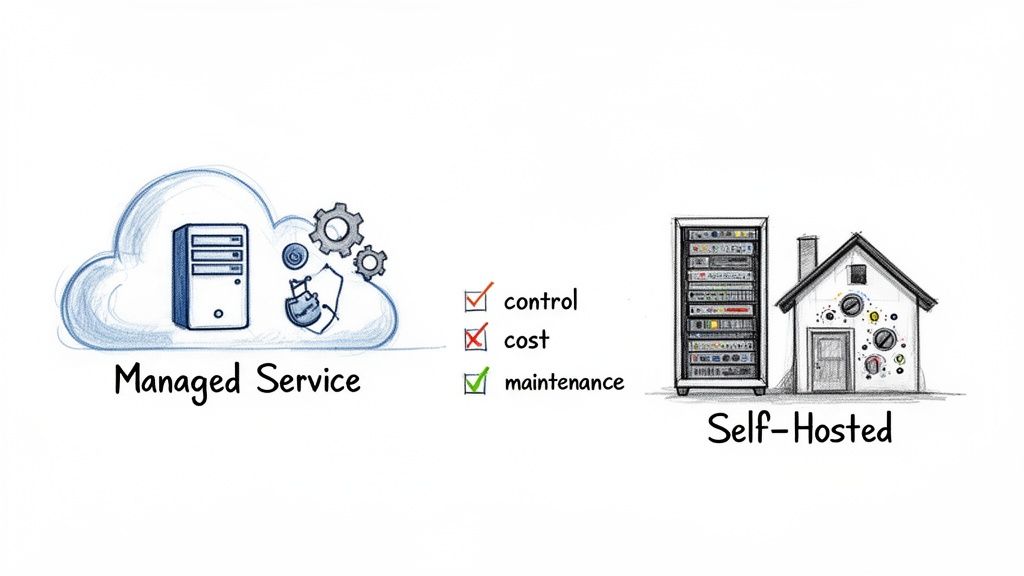
While managed services offer convenience, self-hosting gives you a degree of control that is sometimes necessary. Teams typically go this route for complete customization, potential cost savings at scale, and avoiding vendor lock-in. Of course, this power comes with responsibility. Your team is on the hook for everything from setup to security. The decision isn't just technical; it's strategic. It reflects whether your organization values operational simplicity over granular control.
| Question | Leans Toward Managed Service | Leans Toward Self-Hosting |
|---|---|---|
| How large is your DevOps/DBA team? | A small team with limited bandwidth. | A large, experienced team with deep database expertise. |
| What is your top priority? | Getting to market quickly and rapid development. | Fine-grained control and squeezing every last drop of performance. |
| Is your workload predictable? | A standard web app or API backend. | A highly specialized, massive, or otherwise unusual workload. |
| What is your budget structure? | You prefer predictable operational expenses (OpEx). | You can invest engineering time to lower infrastructure costs (OpEx/CapEx). |
Ultimately, the best choice aligns with your operational DNA. Managed services offer a reliable, low-effort path that works for most, but self-hosting remains a powerful option for building a bespoke solution.
How to Select the Right Replication Solution
Picking the right database replication software can feel overwhelming due to the sheer number of options. The best approach is a systematic evaluation to find a solution that fits your technical needs and business goals. The first performance metric to assess is replication lag—the delay between a write on the primary and its appearance on a replica. High latency can lead to serving stale data and increases the risk of data loss during a failover. Your goal is to keep this lag as close to zero as possible. Next, evaluate failover and recovery. A solid solution will offer automated failover, where a replica is seamlessly promoted to become the new primary with minimal human intervention.
In any multi-primary system, data conflicts are unavoidable. A conflict occurs when the same data is changed in two different places simultaneously. How the software handles this is a defining feature. Common strategies include "last write wins" or using timestamps. Before you even get to this point, you need your underlying database tech sorted. For example, you’ll want to compare MySQL vs. PostgreSQL because their native replication capabilities can differ significantly. Finally, don't just look at the sticker price. The real cost is the Total Cost of Ownership (TCO), which includes the license fee plus operational expenses for setup, maintenance, and troubleshooting.
A strong failover mechanism isn’t just a nice-to-have feature; it’s the entire point of high availability. If a solution stumbles here, it undermines the very reason you’re using replication in the first place.
| Cost Factor | Managed Service | Self-Hosted Solution |
|---|---|---|
| Initial Setup | Low (Minimal configuration) | High (Requires deep expertise) |
| Maintenance | Included in service fee | Ongoing engineering cost |
| Infrastructure | Bundled into pricing | Separate server/network costs |
| Monitoring | Often built-in | Requires separate tooling |
By carefully weighing these four areas—performance, failover, conflict resolution, and cost—you'll be in a much better position to choose the right database replication software.
Practical Strategies for Optimizing Replication Costs
While database replication is crucial, it comes with a significant operational cost. Running replica databases 24/7 is a waste, especially in non-production environments like development, staging, and QA. These resources often sit idle, racking up cloud bills. The single most effective way to cut this cost is through automated scheduling. By automatically shutting down non-production replicas when they aren't being used, you can slash costs by up to 70%. The idea is to set up schedules that match your team's work patterns, ensuring resources are ready when needed and gone when they're not.
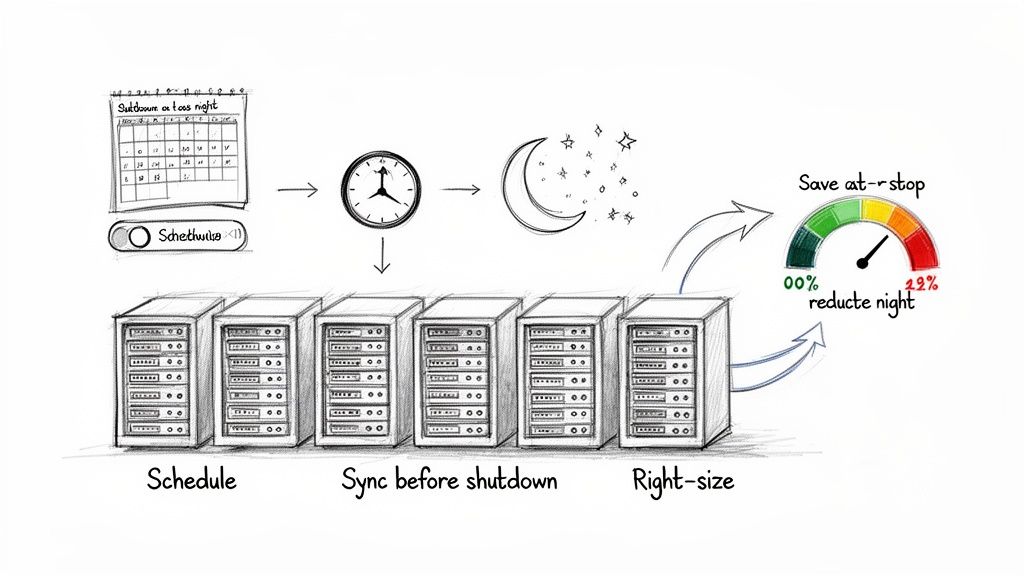
Beyond scheduling, another key tactic is right-sizing. Many teams overprovision non-production replicas. By analyzing actual CPU, memory, and I/O usage, you can often downsize them to smaller, cheaper instance types with no impact on performance. For a deeper dive, check out our guide on resizing RDS instances on a schedule. Combining right-sizing with scheduling provides a powerful one-two punch for cost reduction. To make scheduling work, it's essential to follow best practices to ensure data integrity and a smooth workflow.
Adopting a scheduling-first mindset for non-production resources is a fundamental shift in cloud cost management. It moves teams from paying for availability to paying only for active usage.
| Strategy | Implementation Steps | Potential Savings | Best For |
|---|---|---|---|
| Schedule Off-Hours Shutdowns | Identify non-working hours (nights, weekends) and automate power-down/power-up cycles. | 60-70% | Development, Staging, QA, and other non-production environments. |
| Ensure Data Synchronization | Before shutdown, verify the replica is fully synced with the primary to avoid data inconsistencies. | N/A (Integrity) | All scheduled replicas, especially those in asynchronous replication setups. |
| Automate Startup Procedures | Schedule replicas to power on at least 30 minutes before the workday to allow time for warmup. | N/A (Workflow) | Teams that need immediate access to environments at the start of their day. |
| Monitor Replication Lag | After startup, monitor replication lag to confirm the replica has caught up with any changes made while it was offline. | N/A (Reliability) | Environments where data freshness is critical for testing and development. |
By following these steps, you can drastically reduce the cost of running your database replication software infrastructure, freeing up your budget for more important initiatives.
Common Questions About Database Replication
As you start working with replication, a few questions always come up. This last section tackles those common queries head-on. First, many people confuse replication and backups, but they solve different problems. A backup is a static snapshot for point-in-time recovery, letting you restore a database to a previous state. Replication is a live, continuous process that keeps an up-to-the-minute copy running to ensure high availability and near-instant failover. Both are non-negotiable for a serious data protection strategy, but one cannot substitute for the other.
Replication does add a small amount of overhead to your primary database, but this is almost always outweighed by the performance gains from read scaling. By offloading read-heavy work to replicas, you free up the primary server to handle critical write traffic, resulting in a faster, more responsive application. It is also possible to replicate a database across different clouds, such as from AWS to Google Cloud, for added resilience. However, this is an advanced strategy that typically requires specialized third-party software and introduces significant complexity.
Finally, replication lag is the delay between a write on the primary and its appearance on a replica. A small amount of lag is normal in asynchronous systems, but significant delays can lead to serving stale data and increase the risk of data loss during a failover. Monitoring this metric is critical. It helps you protect data integrity and ensure your failover plan is reliable. Keep in mind that even normal operations can have an impact; for example, it's good to know if an RDS reboot changes the instance's IP address, as that could affect connectivity in certain replication setups.
To put it simply: a backup is your system's "undo button" for data disasters, while replication is its "never stop running" button for operational continuity.
Related Articles
- How to Build a High-Availability Proxy Server for Your Database
- A Step-by-Step Guide to Resizing Your RDS Instances on a Schedule
- Does Your RDS Instance IP Address Change After a Reboot?
At Server Scheduler, we empower you to optimize your cloud infrastructure costs without compromising performance. Automate start/stop schedules for your non-production database replicas and other AWS resources to save up to 70% on your cloud bill. Start scheduling for free today.