Eastern to Central Time: A Cloud Ops Survival Guide

Contents
Ready to Slash Your AWS Costs?
Stop paying for idle resources. Server Scheduler automatically turns off your non-production servers when you're not using them.
Here’s the simple answer: Central Time (CT) is always one hour behind Eastern Time (ET). So, if it's 5 PM in New York (ET), it's 4 PM in Chicago (CT). This single-hour difference seems straightforward on the surface, but for teams managing automated server tasks and maintenance windows across different locations, it can become a constant source of friction. When you're dealing with distributed infrastructure, precision is everything. A minor time zone miscalculation can lead to unexpected downtime, disrupt development workflows, and quietly inflate your cloud spending.
CTA: Are your server schedules truly optimized for your teams, or are they causing hidden costs and disruptions? We built Server Scheduler to help you visualize and control your cloud resources across every time zone, eliminating the guesswork and helping you trim down that AWS bill.
Understanding Eastern To Central Time Conversion
The relationship between Eastern and Central time is one of the most common conversion hurdles for businesses in the United States. A significant portion of the country's population and economic activity spans these two zones, making a clear understanding of this simple conversion surprisingly critical for smooth operations. Misunderstanding this one-hour difference can ripple through an organization, affecting everything from meeting schedules to critical system deployments.
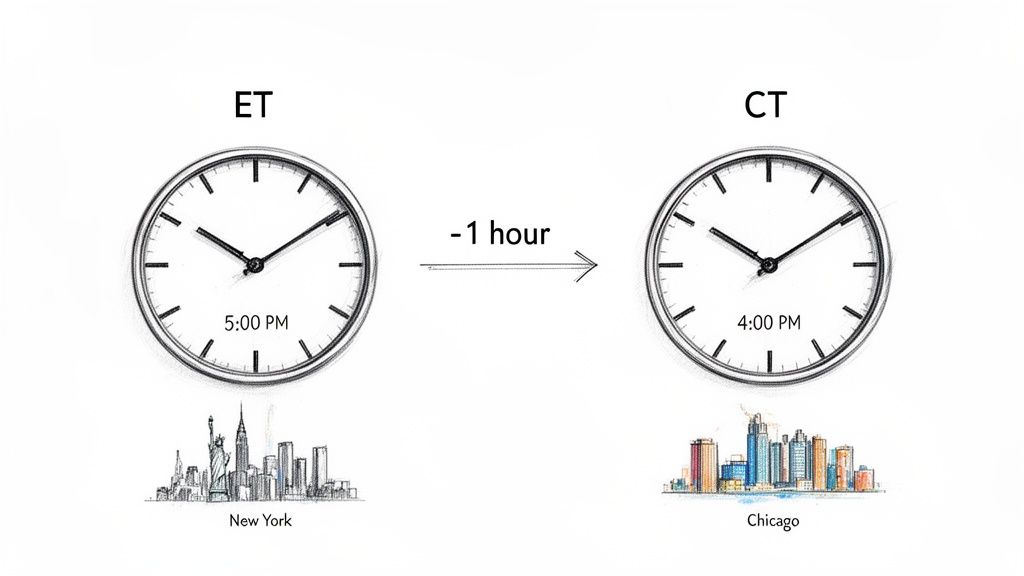 date and time stamps.
Callout: The real challenge isn't the math—it's the human element. Teams often rely on mental calculations or hard-coded UTC times in scripts, which inevitably leads to errors, especially when coordinating critical deployments or maintenance.
To make things even easier, here's a quick reference table for converting common business hours from Eastern to Central Time. Using a clear table like this removes ambiguity and helps your entire team align their schedules with precision, no matter their location.
| If It's This Time In Eastern Time (ET)... | ...It's This Time In Central Time (CT) |
|---|---|
| 8:00 AM | 7:00 AM |
| 9:00 AM | 8:00 AM |
| 12:00 PM (Noon) | 11:00 AM |
| 3:00 PM | 2:00 PM |
| 5:00 PM | 4:00 PM |
| 9:00 PM | 8:00 PM |
How One Hour Creates Costly AWS Billing Surprises
That one-hour gap between Eastern and Central Time might feel small, but in the world of cloud infrastructure, it’s a financial landmine waiting to go off. This issue is particularly prevalent in non-production environments like development, QA, and staging, where resources are supposed to shut down after business hours to control costs. Picture this common scenario: a simple cron job is configured to shut down all non-essential EC2 instances at 9 PM ET. This seems reasonable for a team based on the East Coast. However, for team members in Chicago, this means an abrupt shutdown at 8 PM CT, potentially cutting short their final tests for the day. This isn't just a minor inconvenience; it's a recurring drag on productivity that simultaneously inflates your cloud bill by forcing them to restart instances or wait until the next day.
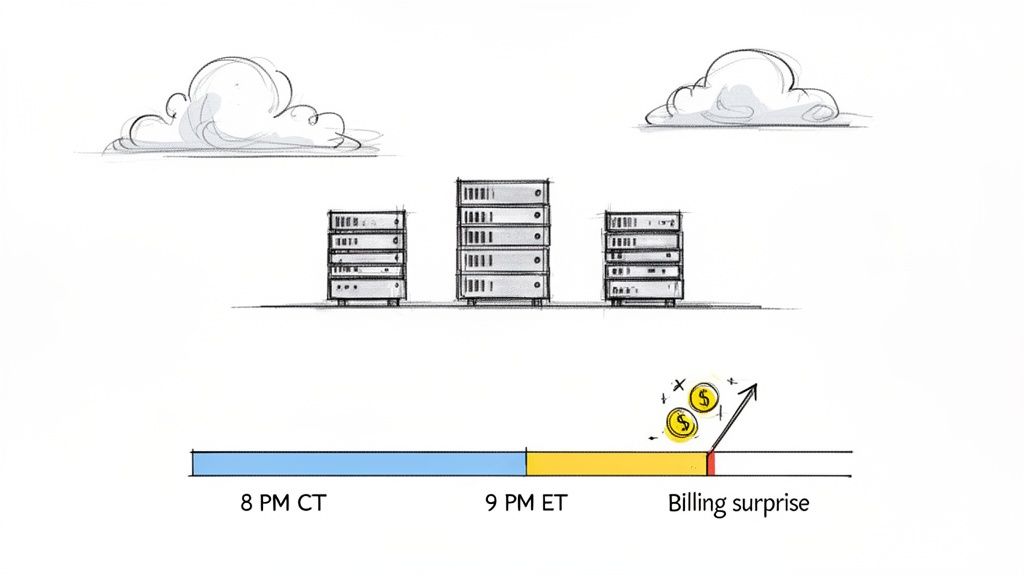
When server start and stop schedules are not localized for your teams, you are almost certainly overprovisioning. FinOps teams often watch in frustration as cloud bills creep up from servers running an unnecessary extra hour every single day. Multiply that across hundreds of instances, and this "tiny" oversight balloons into a massive, avoidable expense. This problem is so common because a huge portion of the US population operates across these two time zones. Nearly 80% of the U.S. population lives in either the Eastern or Central Time Zone, with ET hosting 47.6% and CT another 29.1%. This geographic distribution creates a significant coordination headache for DevOps teams trying to implement efficient, cost-saving automation. What starts as a scheduling annoyance quickly compounds into a real financial problem, directly hitting your bottom line as idle server time becomes a quantifiable waste of money. Beyond just fixing time zones, adopting broader practitioner-led cloud cost optimization best practices is key to preventing these financial surprises, and a timezone-aware scheduling strategy is a huge part of that. For more specific tactics, check out our guide on EC2 cost optimization.
Why Daylight Saving Time Breaks Your Scripts
That simple "one hour behind" rule for converting Eastern to Central time seems easy enough, but twice a year, it gets messy. We have Daylight Saving Time (DST) to thank for that, and it’s precisely where automated schedules tend to fall apart, turning a minor time adjustment into a major operational headache. If you’re managing infrastructure, you absolutely have to account for these shifts. This is where a tool like Server Scheduler can be a lifesaver, as you can set schedules in the local time zone and let it handle all DST conversions automatically without costly errors.
The real issue isn't that DST exists—most places in both time zones observe it. The problem lies with hard-coded scripts or basic cron jobs that have no awareness of "spring forward" or "fall back." These static setups can cause your critical tasks to run an hour early or an hour late, leading to significant disruptions. For example, a critical server reboot for an RDS instance might be scheduled for 3:00 AM UTC every Sunday. For an ops team on the East Coast, that usually means 10:00 PM Saturday ET during standard time (EST is UTC-5). But when DST kicks in, EDT becomes UTC-4. Suddenly, that same 3:00 AM UTC job runs at 11:00 PM Saturday EDT. This one-hour shift can cause unexpected downtime if it lands in the middle of peak user activity, directly impacting your service availability. When time zone shifts and Daylight Saving Time inevitably break scripts, understanding a practical guide to handling JavaScript errors becomes crucial for quick diagnosis and resolution. This helps teams move from reacting to failures to building more resilient systems.
The root of the problem is that many scripts are written with a fixed offset, like UTC-5, instead of a dynamic time zone identifier like America/New_York. It’s a simple oversight, but it guarantees your script will be wrong for half the year. The table below shows exactly how a static UTC schedule drifts against local time, creating a moving target for your team.
| Event | Local Time Zone | UTC Offset | UTC Time of Job | Actual Local Job Time |
|---|---|---|---|---|
| Standard Time | EST | UTC-5 | 03:00 UTC | 10:00 PM Previous Day |
| Daylight Time | EDT | UTC-4 | 03:00 UTC | 11:00 PM Previous Day |
This single issue is a powerful argument for using time-zone-aware scheduling tools. By automating these adjustments, you eliminate the risk of manual error and ensure your infrastructure maintenance for services like RDS and ElastiCache stays reliable and predictable all year round.
Common Scheduling Pitfalls Between ET and CT
Trying to manually juggle server schedules across the Eastern and Central time zones is a recipe for disaster. I’ve seen it happen time and time again—DevOps engineers and IT managers fall into the same simple traps, leading to surprise downtime, bloated cloud bills, and frustrated teams. These aren't complex system failures; they're basic human errors that automation blows up into major problems. You really need a smarter approach to get ahead of these issues. A tool like Server Scheduler takes the manual guesswork completely out of the equation. You can define schedules in your own local time, and it handles all the time zone conversions and DST adjustments behind the scenes.
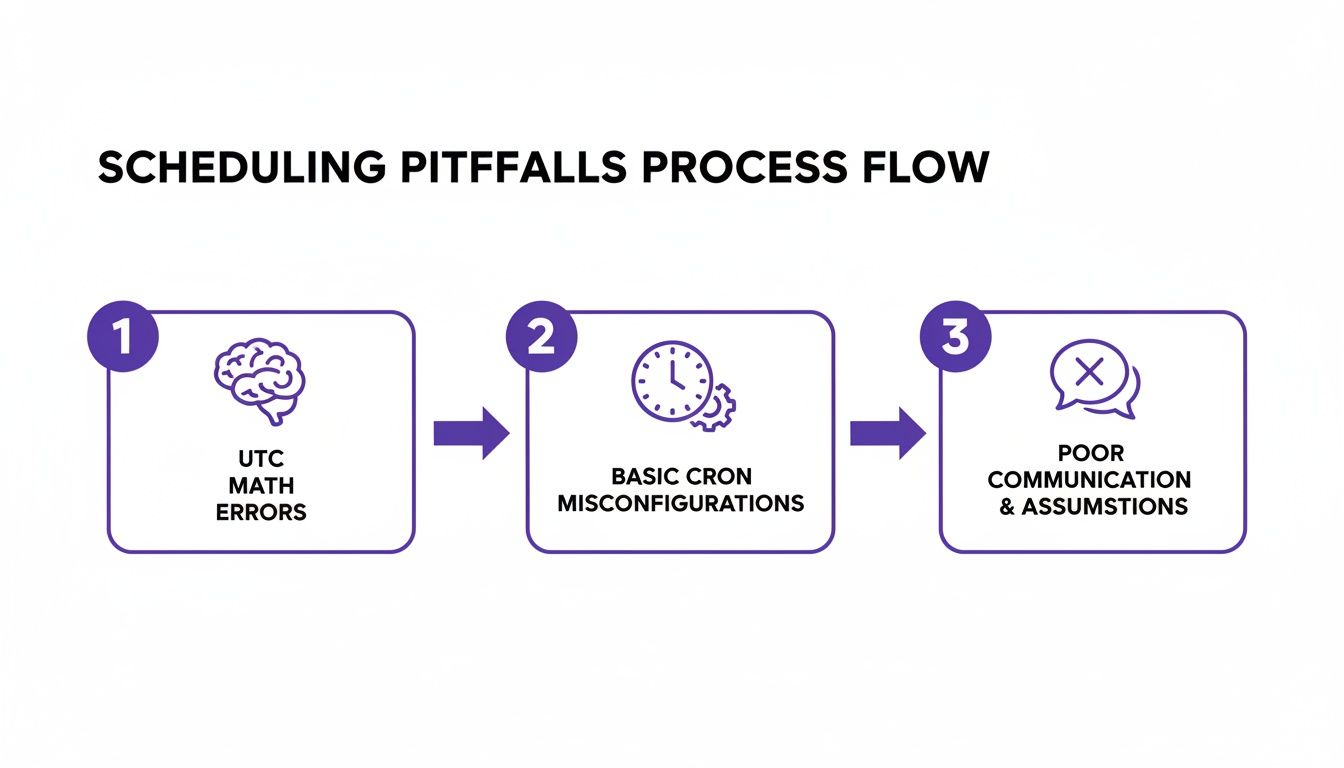
One of the biggest mistakes I see is teams trying to standardize everything in Coordinated Universal Time (UTC). The logic seems sound—create one universal schedule and assume everyone will just do the math to convert it to their local time. In practice, this almost never works out. An engineer in Atlanta (ET) might correctly figure out a maintenance window, but a colleague over in Dallas (CT) could easily be off by an hour, resulting in missed tasks or unexpected interruptions. Another classic pitfall is relying on basic cron jobs that have zero time zone awareness. These tools simply run based on the server's system clock, which is usually set to UTC. This leads directly to the Daylight Saving Time chaos we talked about earlier. If you're wrestling with cron, our guide on scheduling a cronjob every minute covers some of the fundamentals. Finally, simple communication failures are a huge source of error. An Atlanta-based team might schedule a backup for "10 PM," assuming everyone knows they mean Eastern Time. For the team in Dallas, that job kicks off at 9 PM CT, potentially clashing with their end-of-day reporting.
A Smarter Way to Manage Cross-Zone Server Schedules
Let's be honest: juggling time zones with scripts and mental math is an old-school approach that’s inefficient and prone to errors. Modern automation tools are built to take this headache away, shifting the responsibility from the engineer to a reliable system. This isn't just about preventing mistakes; it's about fundamentally changing how you manage infrastructure across different regions. Imagine a simple, visual time grid where platform engineers can define start/stop windows using their own local time, and the system handles all the tricky conversions—including Daylight Saving Time—automatically. No manual intervention, no late-night panic.
Here’s a real-world scenario I see all the time. A QA team in New York needs its EC2 instances to shut down at 7 PM ET sharp to keep costs down. Meanwhile, a development team in Houston needs its servers running until 8 PM CT to wrap up their day. With a time-zone-aware tool, this is incredibly simple. You just set up two distinct schedules: one for the QA environment to stop at 7:00 PM in the America/New_York time zone, and another for the Dev environment to stop at 8:00 PM in the America/Chicago time zone. The system takes these human-readable rules and turns them into precise, automated actions. It correctly calculates that the Houston servers need to run for two extra hours compared to New York's, all without a single line of messy code or a complex UTC conversion. This approach pays off immediately by ensuring resources only run when needed, which can seriously cut down your cloud spend. It also standardizes your maintenance schedules, making them predictable for everyone. This is how automated infrastructure management streamlines operations and frees your team to focus on building great things instead of troubleshooting time zone bugs.
Clearing Up Your Eastern and Central Time Questions
We've walked through the risks and how to sidestep them, but you might still have a few questions about converting between Eastern and Central time. Let's tackle the common ones I hear from teams managing server schedules across these zones.
What's the Real Time Difference Between Eastern and Central?
It’s simple: Central Time (CT) is always one hour behind Eastern Time (ET). So, if it’s 10:00 AM in New York (ET), you can bet it's 9:00 AM in Chicago (CT). This one-hour gap stays put all year long, even when Daylight Saving Time kicks in.
Do Both Time Zones Use Daylight Saving Time?
Yep, for the most part. The majority of places in both the Eastern and Central time zones observe Daylight Saving Time (DST). They both "spring forward" together on the second Sunday in March and "fall back" on the first Sunday in November. Since they move in sync, that one-hour difference remains a constant you can rely on.
How Can I Automate Server Tasks Between ET and CT Without Mistakes?
Honestly, the most bulletproof way is to use a scheduler that's built to be time-zone-aware. These tools let you set up your schedules in your own local time, and they handle all the tricky conversions and DST adjustments behind the scenes. This completely takes manual error out of the equation. It's a massive step up from basic cron jobs, which can easily trip you up—especially if you discover your crontab not working as you thought it was. Using a proper scheduling tool means your server startups and maintenance windows execute at the exact moment you intend, preventing accidental downtime and stopping unnecessary cloud spend in its tracks.
Stop wrestling with time zones and manual scripts. With Server Scheduler, you can visually define server schedules in your local time and let our platform handle the rest. Start scheduling smarter and cut your AWS bill today.